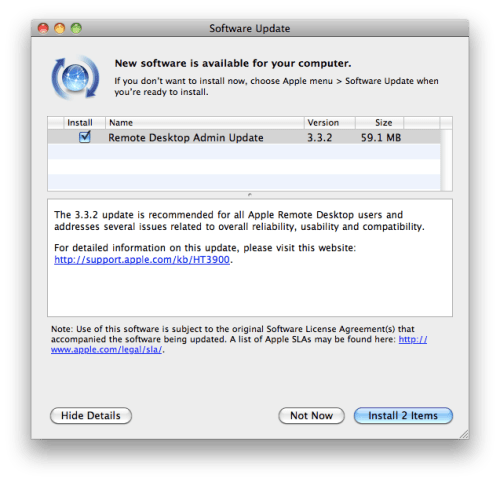
Apple has updated Remote Desktop 3.2.2 to address several issues related to overall reliability, usability, and compatibility.
Specific improvements listed below...
Setup * Improved handling of IP address and port changes for clients accessed behind a Network Address Translation (NAT) system * Upgrading to Apple Remote Desktop 3.3 will no longer reset non-administrator access privileges * Improved reliability when authenticating new client computers
Software Distribution * Improved reporting of results of failed package installations
Asset Management * MacBook Air MAC address is now correctly reported * Improved reliability of reporting systems configured with AirPort * Correctly reports system version for systems that have been promoted from Mac OS X to Mac OS X Server
Remote Assistance * Improved mouse cursor tracking when controlling remote systems * Improved reliability when controlling remote clients that have a 1366-by-768 resolution * Improved performance when clients are being controlled by RealVNC viewers * Improved reliability when controlling systems that have dual graphics processors * Improved support when controlling systems running third-party VNC servers * Improved reliability for drag-and-drop file copy * Improved reliability when controlling client computers that have two displays * Improved reliability when controlling remote systems in scale mode with certain resolutions * Menu Extra now correctly shows status when being observed by a VNC viewer
Apple news, rumors, tutorials, price drop alerts, in your inbox every evening, free.
Unsubscribe at any time.
Success!
You have been subscribed.
Add Comment
Would you like to be notified when someone replies or adds a new comment?
Yes (All Threads)
Yes (This Thread Only)
No
Notifications
Would you like to be notified when we post a new Apple news article or tutorial?
Yes
No
Comments (1)
Comments are closed for this article.
0
iPhoneJohnny - January 12, 2010 at 10:49pm
Its nice to update this application, Now I want to use Remote desktop and log in to my mac with my Macbook pro. Is there a free app that allows you to do this?
or is it built into Snow Leopord?





![Apple Releases iOS 26.4.1 and iPadOS 26.4.1 With Bug Fixes [Download]](/images/news/100492/100492/100492-160.jpg "Apple Releases iOS 26.4.1 and iPadOS 26.4.1 With Bug Fixes [Download]")

![Apple TV Debuts 'Criminal Record' Season 2 Trailer [Video]](/images/news/100488/100488/100488-160.jpg "Apple TV Debuts 'Criminal Record' Season 2 Trailer [Video]")






![13-inch MacBook Air M5 Drops to $949 in New All-Time Low [Deal]](/images/news/100466/100466/100466-160.jpg "13-inch MacBook Air M5 Drops to $949 in New All-Time Low [Deal]")




