BeejiveIM for iPhone has been updated with Facebook Connect support for Facebook Chat.
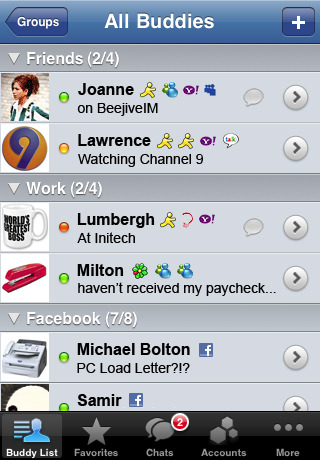
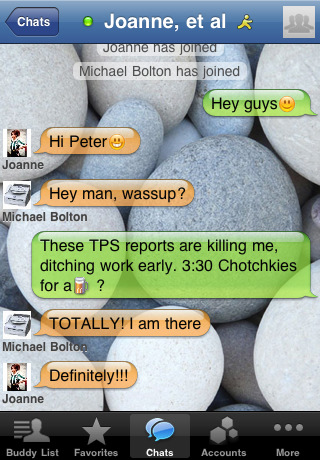
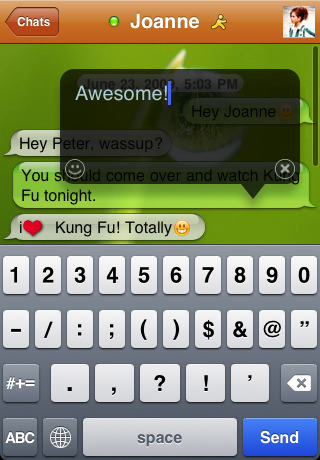
Stay connected to all your instant messaging buddies anywhere you go! BeejiveIM (pronounced bē-hīv IM) keeps you in touch with your friends on AIM/MobileMe, MSN/Windows Live, Yahoo!, GoogleTalk, Facebook, MySpace, ICQ and Jabber... all at the same time, all on your iPhone or iPod Touch.
BeejiveIM Key Features: - BeejiveIM uses your existing data plan: no per-message charges. - Reliable and efficient networking: be connected 24/7, and it's gentle on your battery. - Be connected even after you close the application. Get notified instantly when you get a new message with Push Notifications. - Works with multiple IM networks, multiple accounts per network: AIM®/iChat, MSN®, Yahoo!®, GoogleTalk®, Facebook IM, ICQ®, Jabber, and MySpace IM. - Send and receive files, including pictures and voice notes. View and forward received documents. - Desktop-like instant messaging with all of your IM buddies from a single intuitive user interface.
What's New In This Version: - Facebook Connect support for Facebook Chat. (*** Existing Facebook Chat users: please re-add your Facebook account to take advantage of Facebook Connect. ***) - Various small UI enhancements - Bug fixes.
You can purchase BeejiveIM with Push from the App Store for $9.99.






![Apple Releases iOS 26.4.1 and iPadOS 26.4.1 With Bug Fixes [Download]](/images/news/100492/100492/100492-160.jpg "Apple Releases iOS 26.4.1 and iPadOS 26.4.1 With Bug Fixes [Download]")

![Apple TV Debuts 'Criminal Record' Season 2 Trailer [Video]](/images/news/100488/100488/100488-160.jpg "Apple TV Debuts 'Criminal Record' Season 2 Trailer [Video]")






![13-inch MacBook Air M5 Drops to $949 in New All-Time Low [Deal]](/images/news/100466/100466/100466-160.jpg "13-inch MacBook Air M5 Drops to $949 in New All-Time Low [Deal]")




