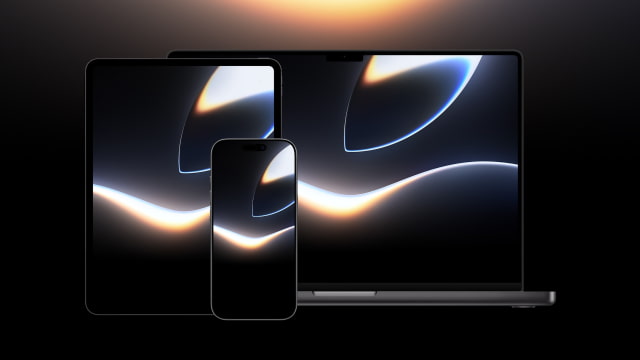
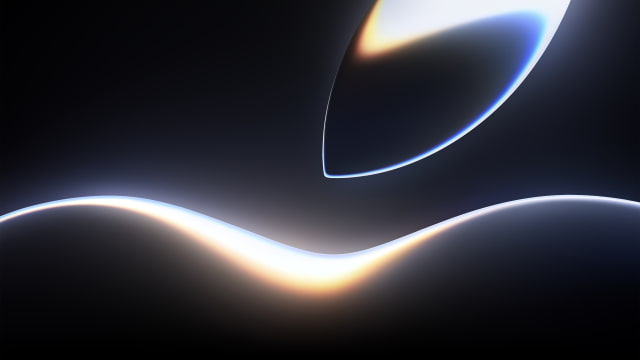
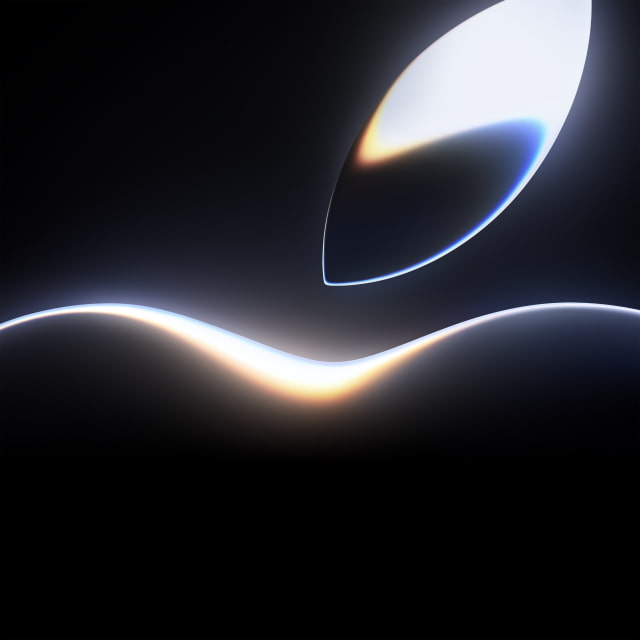
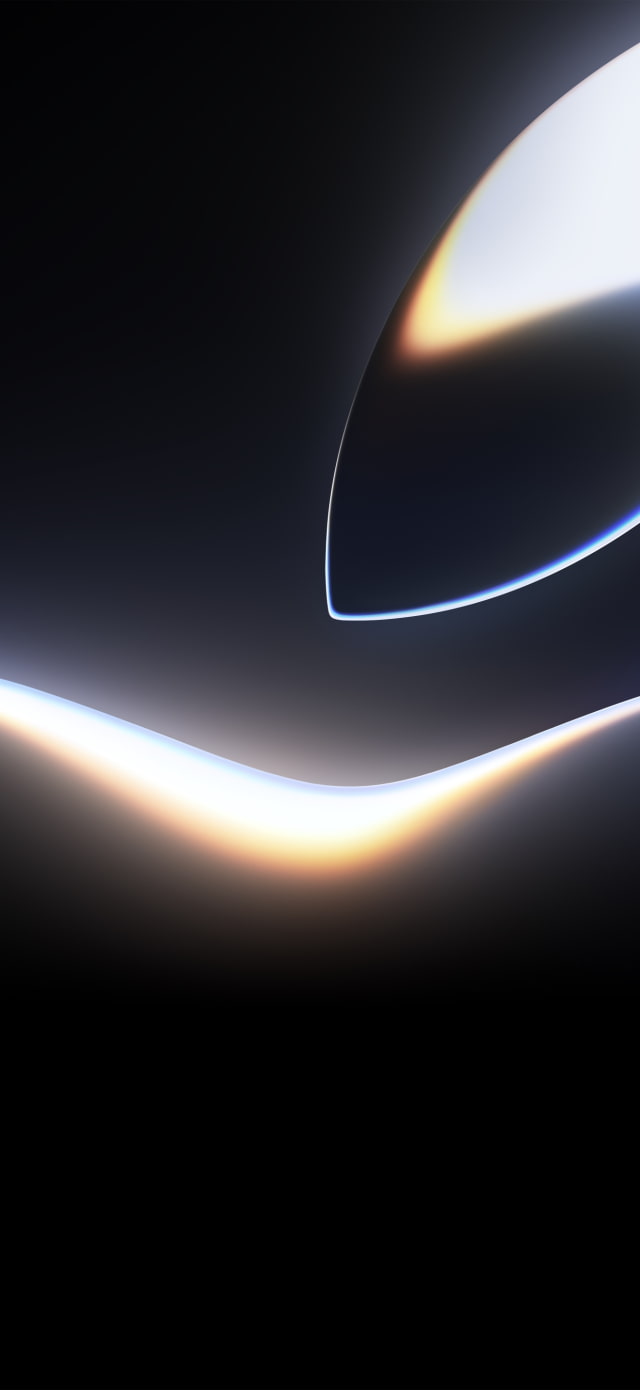
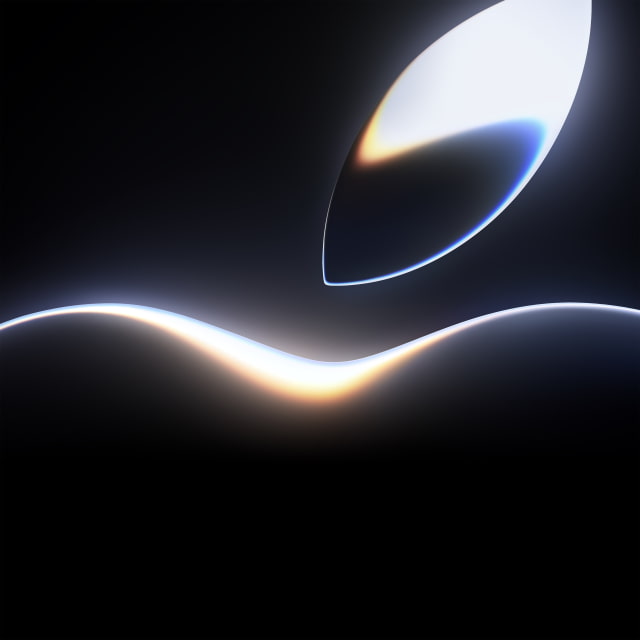
Apple has released the official WWDC 2026 wallpaper, and you can download it for your iPhone, iPad, and Mac right here. The artwork renders the top of the Apple logo as a glowing neon swirl against pure black. Apple's Worldwide Developers Conference kicks off with a keynote on Monday, June 8, and runs through June 12.
As we noted in our recent coverage, this glowing look isn't just a stylistic choice. It's widely seen as a nod to the massive Siri redesign expected in iOS 27, which reportedly features a colorful, glowing border that expands from the Dynamic Island when the AI assistant is activated.
Key Takeaways
● Download Apple's official WWDC 2026 event wallpaper for free. ● Get custom crops sized for iPhone, iPad, and Mac displays. ● Or grab the full-resolution 6016 x 6016 original to make your own crops.
DOWNLOAD THE OFFICIAL WWDC 2026 WALLPAPERS
Apple initially provided the WWDC26 artwork as a massive square image. To make things easier for you, we've taken the original high-resolution file and created custom vertical crops for your iPhone, horizontal crops for your Mac, and a perfectly optimized square specifically for the iPad.
You can download the specific versions you need below, or grab the full-resolution original if you want the heavy, uncompressed raw file. If you share these images online, please be sure to link back to this page as the source!
WWDC 2026 - Mac / Desktop
This 6K horizontal version is sized for the latest Apple displays, and it also looks great scaled down on 4K and 5K screens. [Download 6K Horizontal]
This is Apple's untouched source file at a massive 6016 x 6016 resolution — ideal if you want to make your own crops. [Download Full Resolution (6016 x 6016)]
HOW TO DOWNLOAD AND APPLY YOUR WALLPAPER
Once you've picked your preferred crop, getting it onto your device takes just a few seconds.
On iPhone or iPad
Tap the download link above to open the full-resolution image. Press and hold on the image until the menu pops up, then select "Save to Photos." Next, open the Settings app, tap Wallpaper, and select "Add New Wallpaper" to choose the image from your photo library. ● How to Change Your Wallpaper on iPhone [Video]
On Mac
Click the download link to open the image in your browser. Right-click (or Control-click) the image and select "Save Image As…" to drop it into your Downloads folder. From there, open System Settings, click on Wallpaper, and use the "Add Photo" option to set it as your desktop background. ● How to Change Wallpaper on Mac [Video]
SUMMARY
Apple's official WWDC 2026 wallpaper turns the Apple logo into a glowing neon teaser for the June 8 keynote — and a likely hint at the iOS 27 Siri redesign. Since Apple released it as a single square image, we've cropped it into a vertical version for iPhone, an optimized square for iPad, and a 6K horizontal version for Mac that also scales perfectly to 4K and 5K displays, plus the full-resolution original. Grab your favorite above and follow our quick steps to set it in seconds.
FREQUENTLY ASKED QUESTIONS
When is WWDC 2026?
Apple's Worldwide Developers Conference 2026 runs from June 8 to 12, with the opening keynote streaming on Monday, June 8 at 10:00 a.m. Pacific Time.
What does the WWDC 2026 wallpaper look like?
It depicts the top of the Apple logo glowing in vibrant neon colors against a black background. Many believe the glowing look teases the colorful, glowing Siri interface expected in iOS 27.
What sizes and resolutions are available?
Apple released the artwork as a single high-resolution square image measuring 6016 x 6016 pixels. We've created a vertical crop for iPhone, an optimized square for iPad, a 6K horizontal crop for Mac (which also works great on 4K and 5K displays), and the full-resolution 6016 x 6016 original square.
Why are the iPhone and Mac wallpapers cropped?
Apple provided one square image for all devices. To fit a tall iPhone screen and a widescreen Mac display, we've cropped the square into vertical and horizontal versions while keeping the glowing Apple logo centered.
Can I use these wallpapers on other devices?
Yes. These are standard high-resolution images and work on any device, including older iPhones and iPads, Android phones, and Windows PCs.
How do I set the wallpaper on my iPhone or Mac?
Download the image, then on iPhone/iPad go to Settings > Wallpaper, or on Mac open System Settings > Wallpaper. For full guides, see our iPhone and Mac tutorials.



![Apple Targets October 13 for Smart Home Hub, New HomePod mini and Apple TV [Gurman]](/images/news/102501/102501/102501-160.jpg "Apple Targets October 13 for Smart Home Hub, New HomePod mini and Apple TV [Gurman]")
![Apple Debuts Trailer for Mackenzie Crook Comedy 'Small Prophets' [Video]](/images/news/102495/102495/102495-160.jpg "Apple Debuts Trailer for Mackenzie Crook Comedy 'Small Prophets' [Video]")


![How To Find Your iPhone IMEI Number [Video]](/images/tutorials/83557/83557/83557-160.jpg "How To Find Your iPhone IMEI Number [Video]")



![16-Inch M5 Max MacBook Pro Drops $900 to New Low of $3,499 [Deal]](/images/news/102438/102438/102438-160.jpg "16-Inch M5 Max MacBook Pro Drops $900 to New Low of $3,499 [Deal]")
![Magic Keyboard for iPad Air Drops to $200 on Amazon [Deal]](/images/news/102402/102402/102402-160.jpg "Magic Keyboard for iPad Air Drops to $200 on Amazon [Deal]")
![13-Inch M5 MacBook Air With 1TB Drops to $1,449 on Amazon [Deal]](/images/news/102345/102345/102345-160.jpg "13-Inch M5 MacBook Air With 1TB Drops to $1,449 on Amazon [Deal]")

