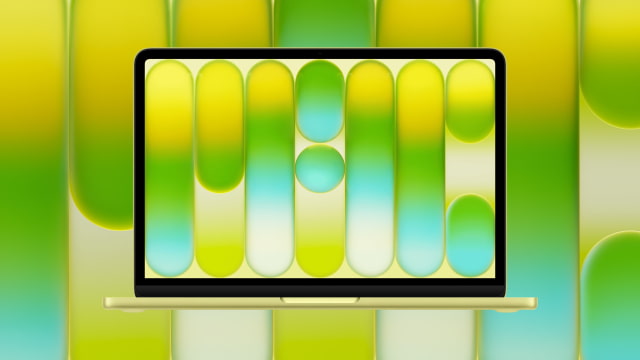
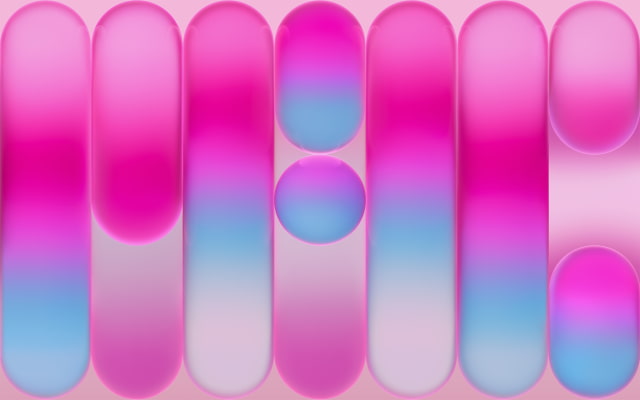
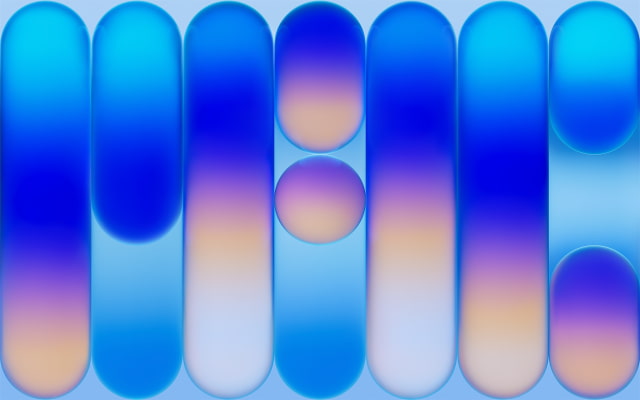
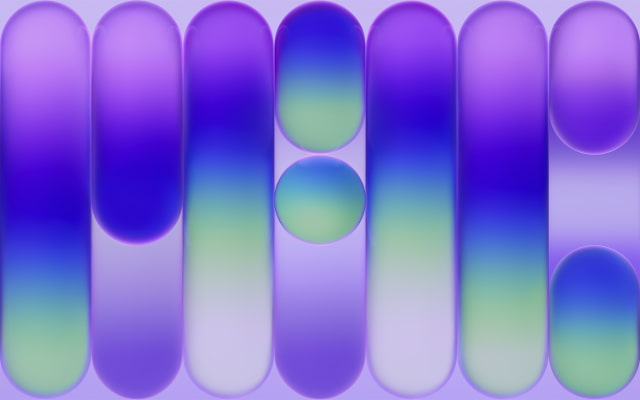
Apple has released four new wallpapers alongside the $599 MacBook Neo, and we've extracted the official high-resolution images for download. The colorful geometric designs match the laptop's new finishes and are available in Blush, Indigo, Silver, and Citrus. Below you can download the official MacBook Neo wallpapers in full 2x Retina resolution for your Mac, PC, tablet, or smartphone.
Key Takeaways
● Download the official MacBook Neo wallpapers for free, featuring a stunning color-matched geometric design. ● Enjoy ultra-crisp 2x Retina resolution (4816 x 3012), perfect for 4K and 5K displays. ● Choose from four distinct colors matching the new hardware: Blush, Indigo, Silver, and Citrus. ● Follow our simple steps to download and apply your new desktop background in seconds.
DOWNLOAD THE OFFICIAL MACBOOK NEO WALLPAPERS
The official MacBook Neo wallpapers are designed to highlight the stunning 13-inch Liquid Retina display and complement the laptop's playful yet premium aesthetic. Featuring a minimalist arrangement of translucent vertical pills and spheres, the design reflects the unified color-matched hardware of the new machine.
Apple created four unique MacBook Neo wallpaper variations to match the laptop's fresh color options: Blush, Indigo, Silver, and the vibrant new Citrus.
To ensure these wallpapers look incredibly sharp on any modern monitor, we are providing them in stunning 2x Retina resolution. While the native resolution of the MacBook Neo is 2408 x 1506, these files are sized at a massive 4816 x 3012. This ensures the MacBook Neo wallpapers look pristine even on large 4K and 5K desktop displays.
You can download the MacBook Neo wallpapers individually below or grab the entire series by downloading the ZIP file we've created. The archive includes JPG and PNG versions along with custom 4K Ultra HD variations. If you share these images online, please be sure to link back to this page as the source.
The MacBook Neo ships with macOS Tahoe, bringing Apple's fluid "Liquid Glass" design language to the desktop. If you want the default macOS 26 landscape aesthetic, you can grab the official release wallpapers for your Mac below:
Once you've saved your favorite MacBook Neo wallpaper, setting it as your desktop background takes only a few clicks.
Download Process
To get the new MacBook Neo wallpapers on your device, click the "Download Full Resolution" link under your desired color. If you're on a Mac or PC, right-click the full-size image and select "Save Image As" or "Download Linked File." On a mobile device, tap and hold the image, then select "Save to Photos."
Applying the Wallpaper on Mac
After downloading, open the System Settings app on your Mac and click on Wallpaper in the sidebar. Scroll down to "Add Photo or Video" or simply drag and drop the downloaded file directly into the wallpaper preview window at the top of the menu.
Applying the Wallpaper on Windows
Locate the downloaded image in your File Explorer, right-click the image file, and select Set as desktop background.
SUMMARY
Apple's MacBook Neo wallpapers bring a bold, colorful geometric style to the Mac lineup. With versions matching Blush, Indigo, Silver, and Citrus, it's easy to add the same look to your Mac, PC, or tablet. Thanks to the massive 4816 x 3012 resolution, these MacBook Neo wallpapers look fantastic on everything from laptops to large 4K and 5K displays.
FREQUENTLY ASKED QUESTIONS
What colors are available for the new MacBook Neo wallpapers?
The official MacBook Neo wallpapers correspond to the four aluminum finishes of the new MacBook Neo: Blush, Indigo, Silver, and Citrus.
What is the resolution of the new MacBook Neo wallpapers?
The wallpapers are provided at an ultra-crisp 2x Retina resolution of 4816 x 3012. This perfectly scales down to the MacBook Neo's native 2408 x 1506 display while ensuring the images look fantastic on larger 4K or 5K desktop monitors.
Can I use these wallpapers on a Windows PC, iPad, or Android device?
Absolutely. These MacBook Neo wallpapers are standard high-resolution image files. They will look great on Windows PCs, iPads, Android tablets, and even smartphones, though you may need to crop them slightly for vertical screens.
Are there official iOS 26 and iPhone 17 wallpapers available for download?




![Apple Releases HomePod Software Update 27 [Download]](/images/news/102222/102222/102222-160.jpg "Apple Releases HomePod Software Update 27 [Download]")

![Apple Officially Releases visionOS 27 [Download]](/images/news/102219/102219/102219-160.jpg "Apple Officially Releases visionOS 27 [Download]")








![Apple Studio Display XDR Hits All-Time Low of $2,969.99 ($329 Off) [Deal]](/images/news/101976/101976/101976-160.jpg "Apple Studio Display XDR Hits All-Time Low of $2,969.99 ($329 Off) [Deal]")
![Apple AirPods Pro 3 Drop to $199 ($50 Off) [Deal]](/images/news/101966/101966/101966-160.jpg "Apple AirPods Pro 3 Drop to $199 ($50 Off) [Deal]")
