

These are instructions on how to install OpenSSH on your iPhone using Cydia Installer.
To follow these instructions you must have already jailbroken your iPhone. You can do this using one of the tutorials found here.
Step One
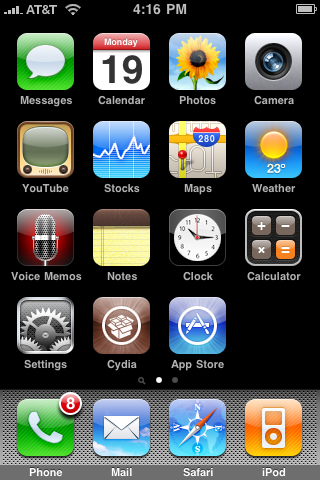
Press to launch Cydia from your Springboard.
Step Two
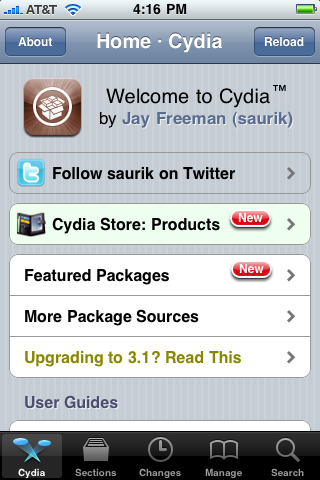
Press to select the Sections tab at the bottom of the screen.
Step Three
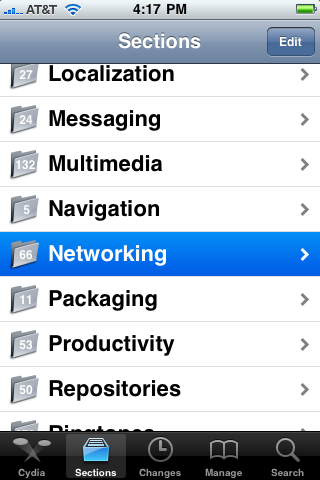
Press to select Networking from the list of Sections.
Step Four
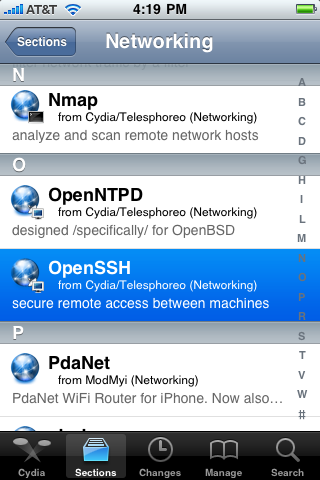
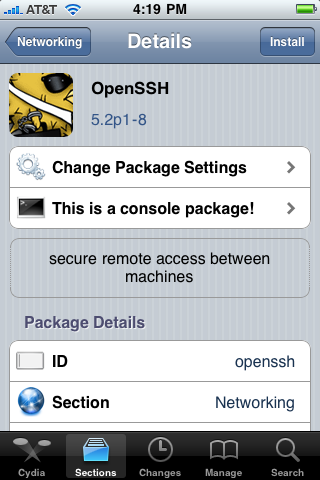
Press to select OpenSSH from the list of Packages.
Step Five
Press the Install button at the top right of the screen.
Step Six
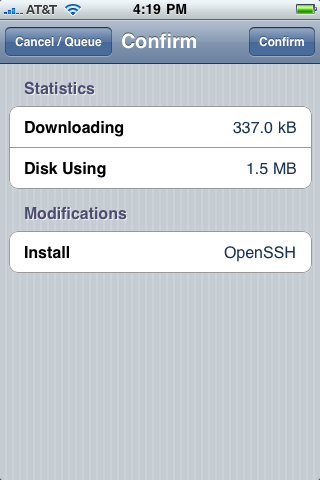
Press the Confirm button at the top right of the screen.
Step Seven
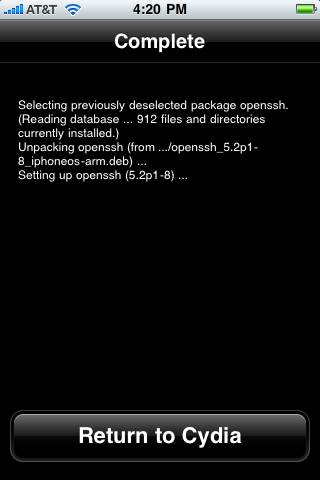
Once OpenSSH has installed successfully click the large Return to Cydia button.
You may now use ssh to access your iPhone filesystem with the username: root and the password: alpine.
To follow these instructions you must have already jailbroken your iPhone. You can do this using one of the tutorials found here.
Step One
Press to launch Cydia from your Springboard.
Step Two
Press to select the Sections tab at the bottom of the screen.
Step Three
Press to select Networking from the list of Sections.
Step Four
Press to select OpenSSH from the list of Packages.
Step Five
Press the Install button at the top right of the screen.
Step Six
Press the Confirm button at the top right of the screen.
Step Seven
Once OpenSSH has installed successfully click the large Return to Cydia button.
You may now use ssh to access your iPhone filesystem with the username: root and the password: alpine.


![iPhone 18 Pro Sales Rise 29% in China, Fall in U.S. and Japan [Report]](/images/news/103215/103215/103215-160.jpg "iPhone 18 Pro Sales Rise 29% in China, Fall in U.S. and Japan [Report]")



![Apple Allocated 80% of Initial iPhone Duo Stock to Stores [Gurman]](/images/news/103206/103206/103206-160.jpg "Apple Allocated 80% of Initial iPhone Duo Stock to Stores [Gurman]")

![How To Back Up Your iPhone to an External Drive on Mac [Video]](/images/tutorials/72786/72786/72786-160.jpg "How To Back Up Your iPhone to an External Drive on Mac [Video]")
![How To Find Your IP Address on iPhone [Video]](/images/tutorials/496/496/496-160.jpg "How To Find Your IP Address on iPhone [Video]")


![AirTag 2 4-Pack Hits All-Time Low of $69.99 ($29 Off) [Deal]](/images/news/103203/103203/103203-160.jpg "AirTag 2 4-Pack Hits All-Time Low of $69.99 ($29 Off) [Deal]")

![Beats Headphones, Earbuds, and Pill Speaker Are Up to 41% Off [Deal]](/images/news/103026/103026/103026-160.jpg "Beats Headphones, Earbuds, and Pill Speaker Are Up to 41% Off [Deal]")

![New Fire TV Stick 4K Drops to $29.99 (50% Off) [Deal]](/images/news/102984/102984/102984-160.jpg "New Fire TV Stick 4K Drops to $29.99 (50% Off) [Deal]")
