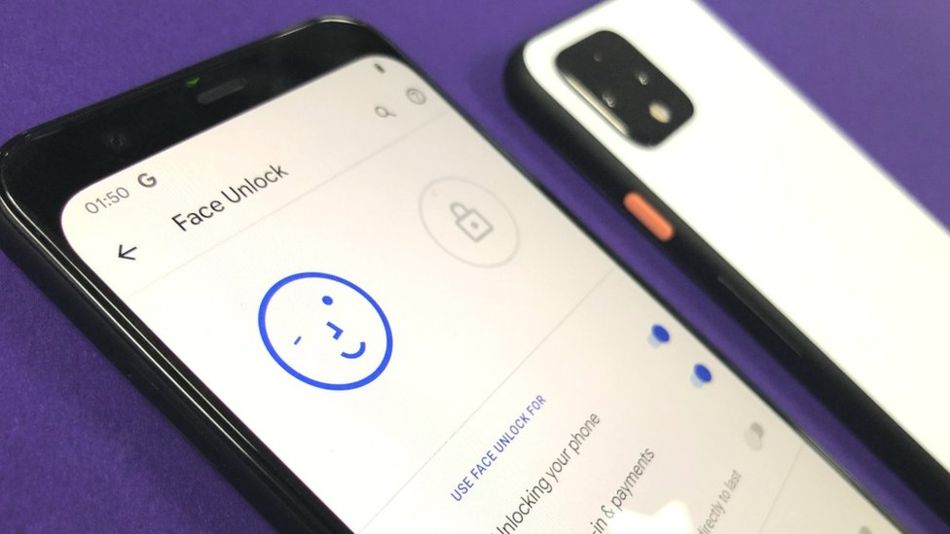
Google has confirmed that the face unlock feature on its new Pixel 4 will work even if your eyes are closed. This means that if someone gets access to your phone they can unlock it by pointing it at your face while you're asleep, unconscious, dead, or being held down.
"If someone can unlock your phone while you're asleep, it's a big security problem," cyber-security expert Graham Cluley tells BBC News. "Someone unauthorised - a child or partner? - could unlock the phone without your permission by putting it in front of your face while you're asleep."
Your phone can also be unlocked by someone else if it’s held up to your face, even if your eyes are closed. Keep your phone in a safe place, like your front pocket or handbag.
Notably, images of the Pixel 4 that leaked ahead of its release showed a "Require eyes to be open" option in the facial-recognition menu; however, it appears Google was not able to get the feature working in time for launch.
Today's report follows a discovery that the Samsung Galaxy S10 and Note10 can be unlocked by any fingerprint. Samsung and Google device owners should consider turning off biometric recognition until these issues are resolved.




![Apple Releases macOS Tahoe 26.5.2 With Security Fixes [Download]](/images/news/101325/101325/101325-160.jpg "Apple Releases macOS Tahoe 26.5.2 With Security Fixes [Download]")
![Apple Releases iOS 26.5.2 and iPadOS 26.5.2 With Security Fixes [Download]](/images/news/101323/101323/101323-160.jpg "Apple Releases iOS 26.5.2 and iPadOS 26.5.2 With Security Fixes [Download]")



![Apple Watch Series 11 On Sale for $279 (30% Off) [Deal]](/images/news/101319/101319/101319-160.jpg "Apple Watch Series 11 On Sale for $279 (30% Off) [Deal]")

![Amazon Prime Day 2026: Final Hours Deals Now Live [List]](/images/news/101308/101308/101308-160.jpg "Amazon Prime Day 2026: Final Hours Deals Now Live [List]")

![Amazon Prime Day 2026: Day 3 Deals Now Live [List]](/images/news/101299/101299/101299-160.jpg "Amazon Prime Day 2026: Day 3 Deals Now Live [List]")
