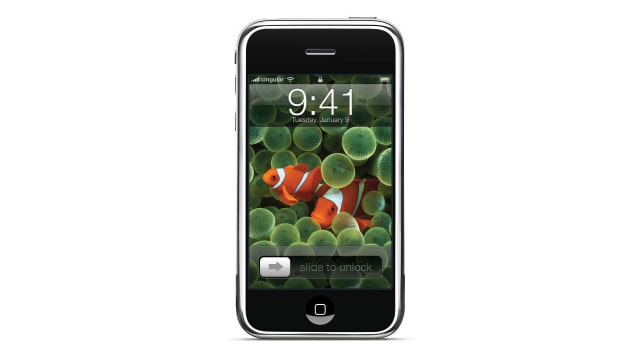
A hidden iPhone screenshot feature has been found in 1.1.3 and newer which allows for taking of screenshots without the help of any third party software.
The developers of Caterpillar discovered this feature while working on their latest update.
You must edit the SpringBoard plist to enable this function, then to take a screenshot, hold down Home (Menu) button on the phone and toggle the Mute button. The screen will flash and the screenshot will be saved to the Camera Roll.
We will post a tutorial on using this new feature very soon!
Get the iClarified Daily Newsletter
Apple news, rumors, tutorials, price drop alerts, in your inbox every evening, free.
Unsubscribe at any time.
Success!
You have been subscribed.
Add Comment
Would you like to be notified when someone replies or adds a new comment?
Yes (All Threads)
Yes (This Thread Only)
No
Notifications
Would you like to be notified when we post a new Apple news article or tutorial?
Yes
No
Comments (1)
Comments are closed for this article.
0
Dryn - March 19, 2008 at 3:47pm
There is a patch available through installer. Source: Ripdev




![New Apple CEO John Ternus Was 'Relatively Unknown' Outside Hardware [Report]](/images/news/101990/101990/101990-160.jpg "New Apple CEO John Ternus Was 'Relatively Unknown' Outside Hardware [Report]")
![Apple Sets 'Silo' Final Season Premiere for July 9, 2027, Shares Sneak Peek [Video]](/images/news/101988/101988/101988-160.jpg "Apple Sets 'Silo' Final Season Premiere for July 9, 2027, Shares Sneak Peek [Video]")
![Foldable iPhone Production Limited to Just a Few Hundred Units Per Day [Report]](/images/news/101985/101985/101985-160.jpg "Foldable iPhone Production Limited to Just a Few Hundred Units Per Day [Report]")
![Existing Smartphone Prices Rise 15% in 2026 as Memory Costs Drive Hikes [Report]](/images/news/101984/101984/101984-160.jpg "Existing Smartphone Prices Rise 15% in 2026 as Memory Costs Drive Hikes [Report]")




![Apple Studio Display XDR Hits All-Time Low of $2,969.99 ($329 Off) [Deal]](/images/news/101976/101976/101976-160.jpg "Apple Studio Display XDR Hits All-Time Low of $2,969.99 ($329 Off) [Deal]")
![Apple AirPods Pro 3 Drop to $199 ($50 Off) [Deal]](/images/news/101966/101966/101966-160.jpg "Apple AirPods Pro 3 Drop to $199 ($50 Off) [Deal]")

![Sony WH-1000XM5 Headphones Drop to Lowest Price Ever of $198 [Deal]](/images/news/101950/101950/101950-160.jpg "Sony WH-1000XM5 Headphones Drop to Lowest Price Ever of $198 [Deal]")
