For those who haven't noticed, Gmail is back in the App Store after getting pulled for bug which broke notifications and caused users to receive an error message.
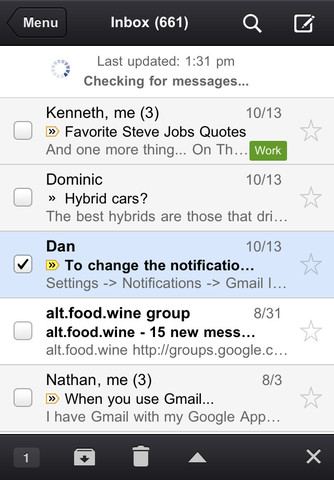
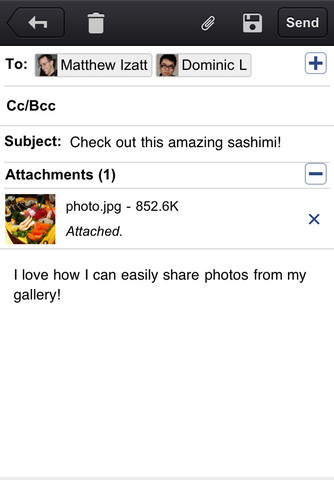
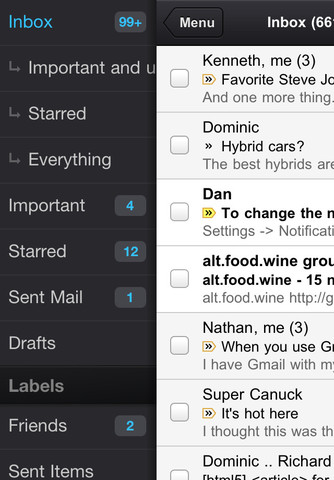
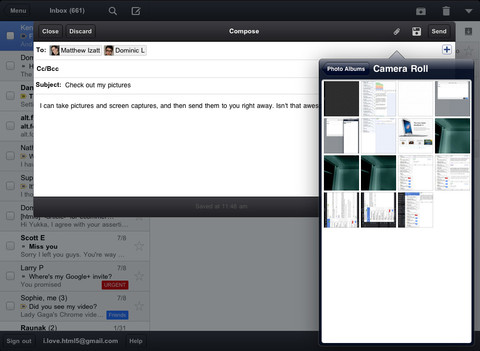
With the Gmail app, you can: ● Receive notification badges for new messages ● Read your mail with threaded conversations ● Organize your mail by archiving, labeling, starring, deleting, and reporting spam ● Keep track of important messages with priority inbox ● Auto-complete contact names as you type ● Send and receive attachments ● Search through all your mail
What's New In This Version: If you already have the Gmail app 1.0.1 released on 2 Nov, you will need to uninstall or log out of the old app prior to installing the new app.
You can download Gmail from the App Store for free.
Apple news, rumors, tutorials, price drop alerts, in your inbox every evening, free.
Unsubscribe at any time.
Success!
You have been subscribed.
Add Comment
Would you like to be notified when someone replies or adds a new comment?
Yes (All Threads)
Yes (This Thread Only)
No
Notifications
Would you like to be notified when we post a new Apple news article or tutorial?
Yes
No
Comments (15)
Comments are closed for this article.
0
Ray - November 17, 2011 at 12:22pm
Gmail app does not display banner notification. I have everything turned on. It also does not display the type of banner notification when selecting settings, notifications
Needs to be fixed
0
Charlie - November 17, 2011 at 4:40am
It is there now. Looks like a good app the interface is the same as on my pc.
0
Lyrrad - November 16, 2011 at 11:57pm
For those of you asking why would I bother with another email app, one major difference that makes the Gmail app better that the default iOS email app is the ability to add multiple photo attachments while composing or replying to a message.
I cant believe that that Apple wouldnt include this capability in the native email app. Its very frustrating to have to exit email, go to the Photo app then select and send the picture. Every time you do this you have to start a new email thread. For me this alone makes it worth it.
0
Ray - November 17, 2011 at 12:19pm
You can attach multiple pictures with apple os5 native mail app
0
Lyrrad - November 17, 2011 at 1:39pm
Only if you start your email in the photo app. There is no attachment option if you are composing an email from the native email ap or when replying to a message.
Btw, you are also limited in the number of pictures you can attach regardless of size. Not sure what they were thinking here.
0
budsal - November 16, 2011 at 10:21pm
Is it me or is this another pointless app? I can access my gmail just fine from within the iPhone's mail app. The only thing I cannot do is create a folder but the gmail app doesn't seem to allow me to do that either. Also I find the iPhone's mail app to be faster and better in general. Silly google.
0
Nitro Junkie - November 16, 2011 at 11:18pm
You can make folders for gmail in the native iPhone mail app. When you open up mail if it goes right to your new emails hit accounts in the top left corner. Look for accounts, select gmail, edit on the top right corner, then new mailbox on the bottom right. Then make your folder.
0
Lyrrad - November 16, 2011 at 11:54pm
One major difference that makes the Gmail app better that the default iOS email app, the ability to add multiple photo attachments while composing or replying to a message
I cant believe that that Apple wouldnt include this capability in the native email app. Its very frustrating to have to exit email, go to the Photo app then select and send the picture. Every time you do this you have to start a new email thread. For me this alone makes it worth it.
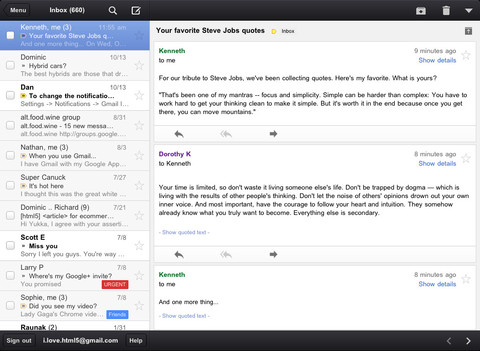
The interface is still a bit clunky on the iPad, but I'm sure it will get better.
0
budsal - November 17, 2011 at 10:44pm
BUBBA!!!
Awesome, thanks. Either that's new or I've been blind for the last 4 years.
0
Jrichva - November 16, 2011 at 9:40pm
I just downloaded it. But what's the point without push notifications? Push mail is good but why no notification?





![Apple Releases iOS 26.4.1 and iPadOS 26.4.1 With Bug Fixes [Download]](/images/news/100492/100492/100492-160.jpg "Apple Releases iOS 26.4.1 and iPadOS 26.4.1 With Bug Fixes [Download]")

![Apple TV Debuts 'Criminal Record' Season 2 Trailer [Video]](/images/news/100488/100488/100488-160.jpg "Apple TV Debuts 'Criminal Record' Season 2 Trailer [Video]")






![13-inch MacBook Air M5 Drops to $949 in New All-Time Low [Deal]](/images/news/100466/100466/100466-160.jpg "13-inch MacBook Air M5 Drops to $949 in New All-Time Low [Deal]")




