These are instructions on how to downgrade from the iOS 7 Beta to iOS 6. You will only be able to downgrade to the latest iOS 6 release (Currently that is 6.1.4 for iPhone 5, 6.1.3 for iPhone 4S). You cannot use your saved SHSH blobs on any A5+ device -- they are (currently) useless.
Apple states that "Devices updated to iOS beta can not be restored to earlier versions of iOS. Registered development devices will be able to upgrade to future beta releases and the final iOS software." However, we were able to successfully downgrade by following these steps.
Before attempting any downgrade, please be sure to backup all of your information.
Step One Download the latest iOS 6 firmware for your device from here.
Step Two Launch iTunes from your dock.
Step Three Place your device into DFU Mode by following these steps. Here is a full tutorial on how to put your iPhone into DFU mode if you need additional help.
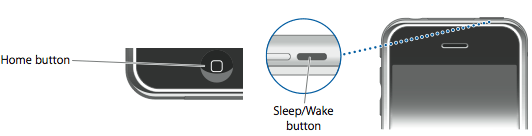
Press and hold the Home button and the Sleep/Wake button at the same time.
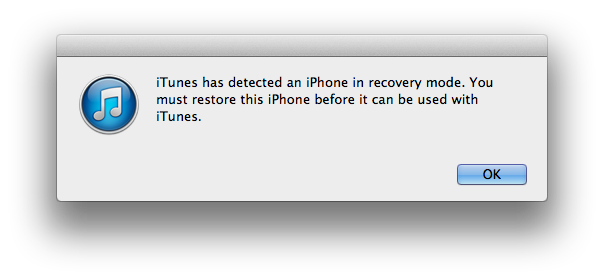
After exactly 10 seconds release the Sleep/Wake button. Continue holding the home button until you iTunes pops up a message telling you that it has detected an iPhone in recovery mode.
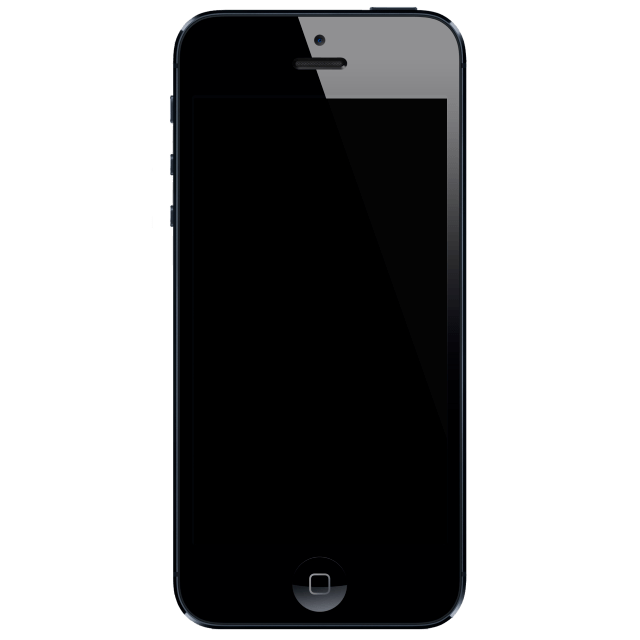
The iPhone screen will remain black like this:
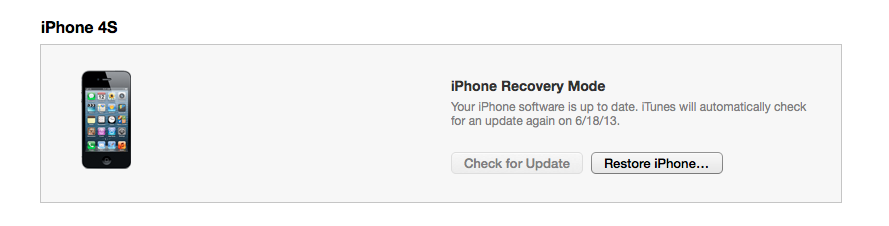
Step Four Once you receive a message telling you that your iPhone is in recovery mode, press OK then select your iPhone from the list of devices in iTunes.
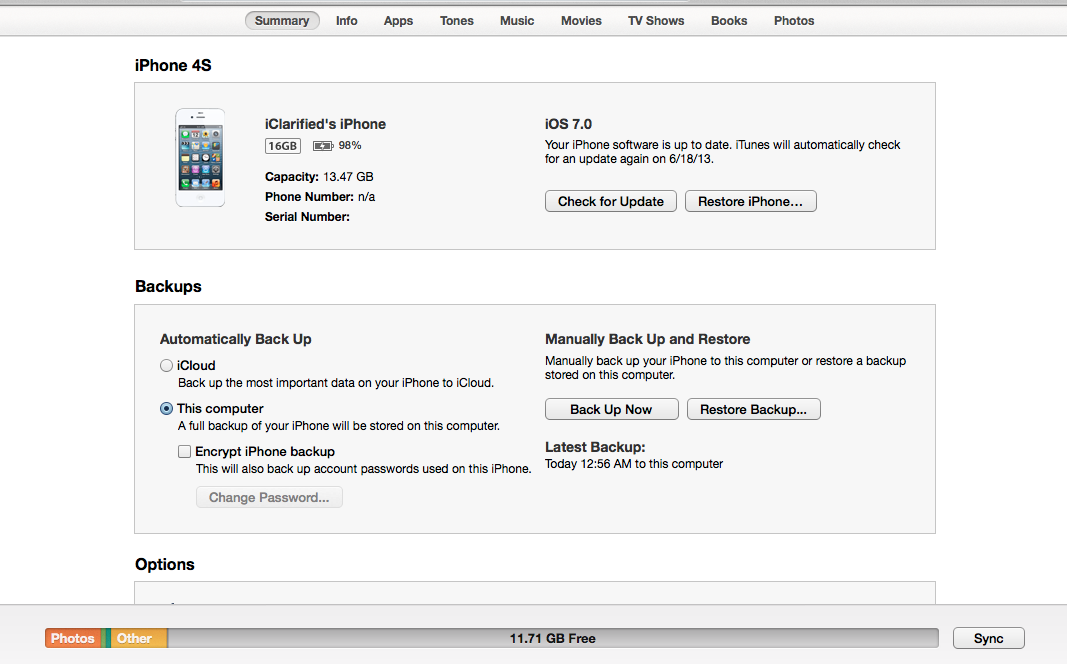
Hold down the Alt/Option key (Shift in Windows) and click the Restore iPhone... button.
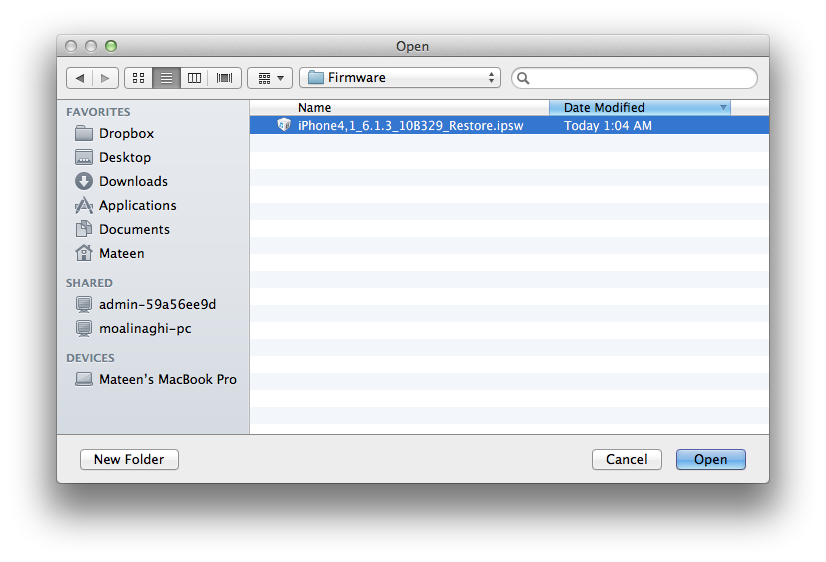
Step Five Select the firmware file you downloaded earlier from the window that appears and click the Open button.
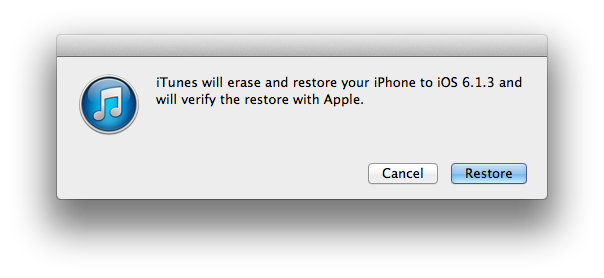
When asked to confirm the restore click the Restore button.
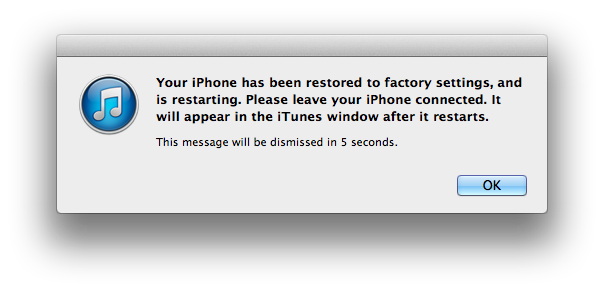
Step Six iTunes will go through the process of the restore/downgrade and after about 10-15 minutes, your device will be freshly restored to iOS 6.
Get the iClarified Daily Newsletter
Apple news, rumors, tutorials, price drop alerts, in your inbox every evening, free.
Unsubscribe at any time.
Success!
You have been subscribed.
Add Comment
Would you like to be notified when someone replies or adds a new comment?
Yes (All Threads)
Yes (This Thread Only)
No
Notifications
Would you like to be notified when we post a new Apple news article or tutorial?
my iphone 4s was damazed with upgrade of ios7...
after upgrade my phone running is very slow,low battery,wifi disabled,.....
it's doesnt dowgrade, plz save me..i want my old iphone, plz developer give any solution and recover my iphone n me...
lets hope that Iphone software developers will develop software to go back to IOS 6 .. i did not like IOS 7. it sucks. why should they have to copy android style..! i didnot understand this.. i want to go back to IOS 6 on my IPhone 4s..Do Something Iphone Software Developers .. (y)..
Thanks. This came too late for me. The damage has been done. The agonizing 6 weeks of problems, upgrades and incompatibility issues is over for the most part.
i am having iphone 4 i have updated it to ios 7.0.3. but know my phone stucks while working and i want go get back the ios 6.1.3 can any budy help how can i do this .thanks
I have iphone 4,, I want downgrade ios 7.0.4 to ios6.1.3 .. How to downgrade ??? Please help mee,, my iphone 4 working very slow that's why I want,, please help me urgent,,,
If I upgraded to iOS7 from an iPhone 4s after a back up to iTunes in my Mac system which I learned is only compatible with iOS6. Can I erase the iPhone and restore it with iTunes thus getting me back to iOS6?
I have cleared from iCloud and shut off find my iPhone. Will this work?
I am using iphone 4 and recently upgraded to ios7, now i am struck with that., not at all mood to use phone, totally got mad with new ios 7, and apple doesnot allow to go back...can anyone help me to go back, i dont knw wht is shsh blobs
error 3194 accur i also try hosts change but there is nothing about apple what i do i try alot plz help
and also help if ios7 activation error ask for previous apple id and password which i donot know completely what i do.....plz help email me if solution is find
I was unable to downgrade back to 6 and now my phone is stuck in "recovery Mode" and all I have is a black screen and I am unable to power up.
Can anyone help me out?
Thanks
To everyone who wants to downgrade from iOS7:
Apple has stopped signing earlier versions of iOS and unless you saved your unique SHSH before they did that you will not be able to downgrade. End of story.
If you want to learn more about why this is, and what an SHSH is and how to save it, go to this site;
http://thefirmwareumbrella.blogspot.se/p/faq.html
Apple stopped signing iOS6 and therefore the only choice you have is to upgrade to iOS 7 full version. You can no longer downgrade. If you find a way then please post here. Thanks.
I am trying to downgrade from 7 back to 6, I have the correct file but I keep getting a 3194 error. ITunes starts the restore process then I get this error. I rest the host file and bypassed my router. What going on?
Hello ,
before i upgrade to IOS7 ihad jailbreak and i back up from itunes its supposed back up the apps , photo , msgs and other stuffs , but it didnt back up the apps once i upgrade it i lost all the application and i tried to restore and it doesnt work , and if i want to downgrade to IOS6 should i wait IOS7 cuz its bete now,
Thanks.
Yes. When you will downgrade you will have an iphone with apps installed by iOS6.1.4 only. After downgraing you will have to activate the iphone and restore it from the backup (remember that iOS7 backup will not work to restore iOS6)
just tried on my windows pc....for whatever reason it wont let me select my own restore image....it keeps forcing me to "Restore and Update"
Super Bummed.....Maybe I'll go buy a Galaxy S4!
I've tried holding Alt while clicking restore....no luck.
Follow the instruction carefully. Download iOS6.1.4 using chrome or Firefox browser. Again follow the instruction very very carefully. There is never any problem. I have dome it 5-7 times.





![Apple Releases iOS 26.4.1 and iPadOS 26.4.1 With Bug Fixes [Download]](/images/news/100492/100492/100492-160.jpg "Apple Releases iOS 26.4.1 and iPadOS 26.4.1 With Bug Fixes [Download]")

![Apple TV Debuts 'Criminal Record' Season 2 Trailer [Video]](/images/news/100488/100488/100488-160.jpg "Apple TV Debuts 'Criminal Record' Season 2 Trailer [Video]")






![13-inch MacBook Air M5 Drops to $949 in New All-Time Low [Deal]](/images/news/100466/100466/100466-160.jpg "13-inch MacBook Air M5 Drops to $949 in New All-Time Low [Deal]")




