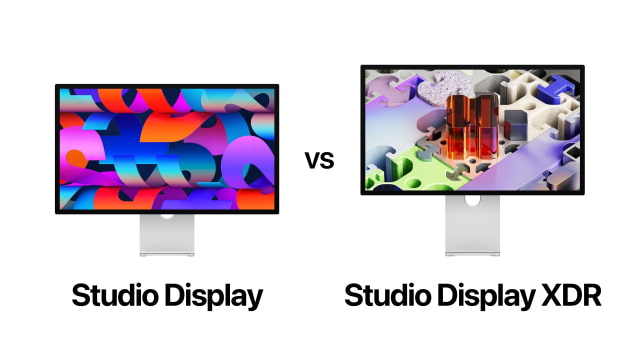
Studio Display vs Studio Display XDR comes down to display technology, HDR performance, and price. Apple's updated Studio Display lineup now includes the standard Studio Display alongside the new Studio Display XDR, a much more advanced reference-class display designed for demanding creative workflows.
The Studio Display starts at $1,599 and offers a 27-inch 5K Retina display, a 12MP Center Stage camera, a six-speaker Spatial Audio system, and Thunderbolt 5 connectivity. The Studio Display XDR starts at $3,299 and adds mini-LED backlighting with over 2,000 local dimming zones, 2000 nits of peak HDR brightness, a 120Hz refresh rate, and expanded color accuracy designed for workflows like HDR video editing, color grading, and 3D rendering.
Both displays share Apple's premium aluminum design, integrated camera and audio systems, Thunderbolt connectivity, and 5K Retina resolution. The real question is whether the advanced HDR performance and color capabilities of Studio Display XDR justify the much higher price compared to Studio Display.
Quick Answer: Studio Display vs Studio Display XDR
Choose Studio Display if you want:
A high-quality 27-inch 5K display for everyday professional workflows
A significantly lower starting price
Excellent image quality with 600 nits brightness and P3 wide color
Choose Studio Display XDR if you want:
Professional HDR performance with 2000 nits peak brightness
Mini-LED backlighting with over 2,000 local dimming zones
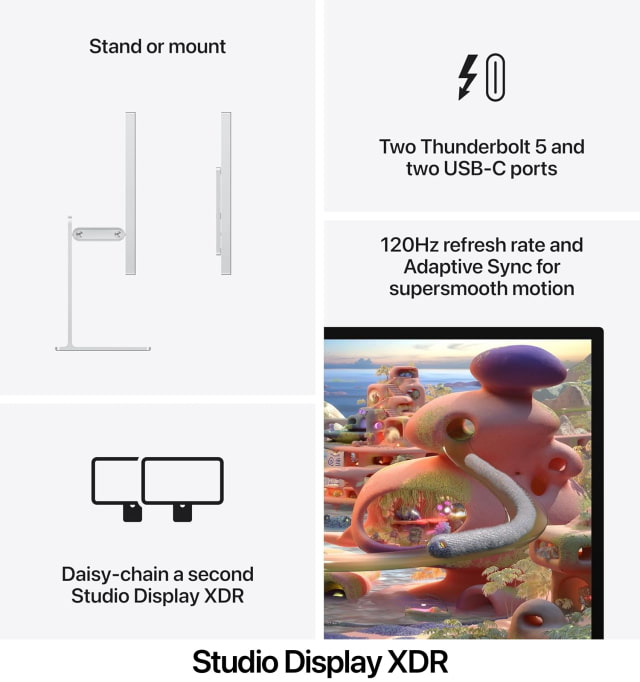
A 120Hz refresh rate with Adaptive Sync
Reference-level color accuracy with P3 and Adobe RGB support
Biggest Differences in 30 Seconds
Display technology: Studio Display uses a traditional LED-backlit panel. Studio Display XDR uses mini-LED backlighting with 2,304 local dimming zones.
HDR brightness: Studio Display reaches 600 nits. Studio Display XDR reaches 1000 nits sustained brightness and 2000 nits peak HDR brightness.
Refresh rate: Studio Display runs at 60Hz. Studio Display XDR supports 120Hz with Adaptive Sync.
Color support: Studio Display supports P3 wide color. Studio Display XDR supports P3 and Adobe RGB.
Price: Studio Display starts at $1,599. Studio Display XDR starts at $3,299.
Studio Display vs Studio Display XDR Specs Comparison
Feature
Studio Display
Studio Display XDR
Starting Price
$1,599
$3,299
Display Size
27-inch
27-inch
Resolution
5120 x 2880 (5K)
5120 x 2880 (5K)
Panel Technology
LED-backlit LCD
Mini-LED with local dimming
Local Dimming Zones
None
2,304 zones
Brightness
600 nits
1000 nits SDR
Peak HDR Brightness
Not supported
2000 nits
Contrast Ratio
Standard
1,000,000:1
Refresh Rate
60Hz
120Hz with Adaptive Sync
Color Support
P3 wide color
P3 + Adobe RGB
Processor
A19
A19 Pro
Memory (RAM)
8GB
12GB
Camera
12MP Center Stage
12MP Center Stage
Speakers
Six-speaker system with Spatial Audio
Six-speaker system with Spatial Audio
Ports
2× Thunderbolt 5 2× USB-C
2× Thunderbolt 5 2× USB-C
Charging
Up to 96W
Up to 140W
Weight
~16.8 pounds
~18.7 pounds
Depth (with stand)
6.6–8.1 inches depending on stand
~8.4 inches
Studio Display vs Studio Display XDR Display Technology
Both displays feature a 27-inch 5K Retina panel with a resolution of 5120 by 2880, delivering more than 14 million pixels for extremely sharp text and images.
The key difference is backlighting technology. Studio Display uses a traditional LED-backlit LCD panel, while Studio Display XDR uses mini-LED technology with more than 2,000 local dimming zones.
This allows the XDR model to control brightness in small areas of the screen independently, producing deeper blacks, stronger highlights, and significantly better HDR performance.
Studio Display vs Studio Display XDR Brightness and HDR
Studio Display delivers up to 600 nits of brightness, which is more than enough for most office environments and creative workflows.
Studio Display XDR dramatically increases brightness capabilities with 1000 nits sustained brightness and up to 2000 nits of peak HDR brightness. This allows HDR video and high dynamic range content to display far more detail between highlights and shadows.
For workflows like HDR filmmaking and color grading, this difference can be critical.
Studio Display vs Studio Display XDR Color Accuracy
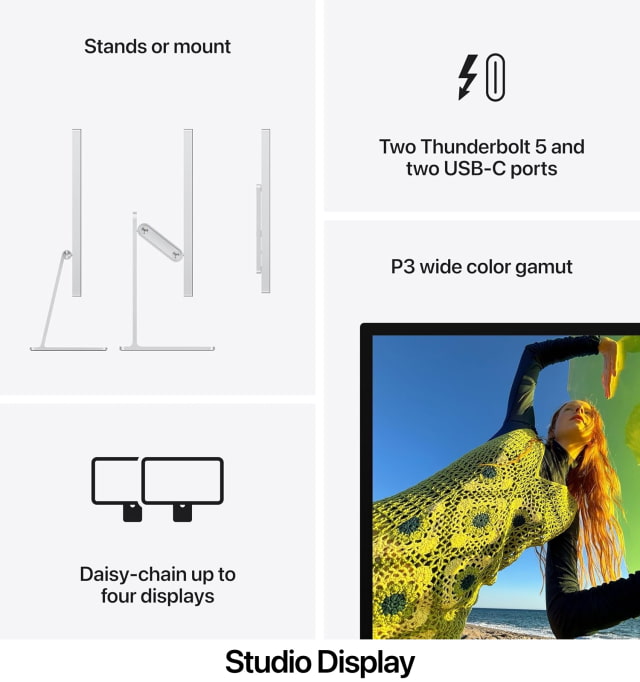
Both displays support P3 wide color, which covers a much larger color range than traditional sRGB displays.
Studio Display XDR goes further by adding Adobe RGB support and improved coverage of the Rec. 2020 color space used in HDR video workflows. This makes it a better reference display for print design, color grading, and professional imaging applications.
Studio Display vs Studio Display XDR Ports and Connectivity
Both displays include Thunderbolt 5 connectivity and act as powerful docking hubs.
Each display includes two Thunderbolt 5 ports and two USB-C ports for connecting accessories, storage devices, or additional displays. Thunderbolt also allows a single cable connection to power and charge a Mac laptop.
Studio Display can deliver up to 96W of charging power, while Studio Display XDR supports up to 140W, which is enough to fast-charge a 16-inch MacBook Pro.
Studio Display vs Studio Display XDR Camera and Audio
Apple includes the same advanced camera and audio system on both displays.
Each model features a 12MP Center Stage camera that automatically keeps users centered in the frame during video calls. Desk View is also supported, allowing the camera to show both the user and a top-down view of their desk.
Both displays include a three-microphone array and a six-speaker sound system with support for Spatial Audio.
Internally, the displays are powered by Apple silicon that helps drive these features. Reports indicate the Studio Display uses an A19 chip, while Studio Display XDR includes an A19 Pro chip. These chips handle tasks like camera processing, audio features, and display management.
Studio Display vs Studio Display XDR Stand Options
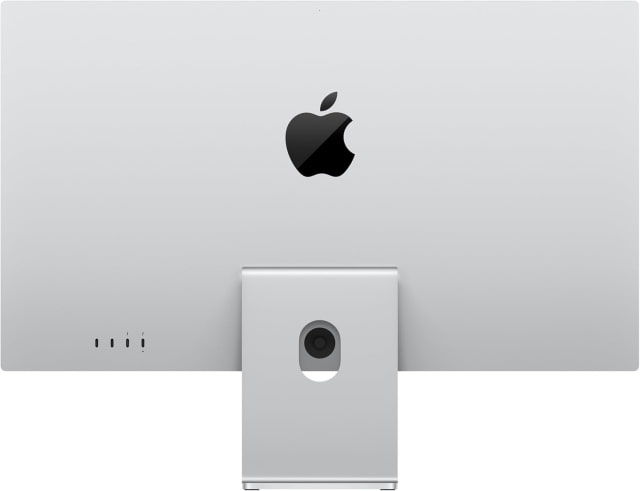
Studio Display comes standard with a tilt-adjustable stand. A tilt- and height-adjustable stand is available as an upgrade, or users can choose a VESA mount adapter.
Studio Display XDR includes a tilt- and height-adjustable stand by default and can also be configured with a VESA mount adapter for custom mounting setups.
Studio Display vs Studio Display XDR Price
Studio Display starts at $1,599 with a tilt-adjustable stand.
Studio Display XDR replaces Apple's previous Pro Display XDR and starts at $3,299 with a tilt- and height-adjustable stand.
You can track price drops and deals for Apple displays here:
Studio Display vs Studio Display XDR: Which Should You Buy?
Studio Display is the better choice for most users. It offers an excellent 5K Retina panel, great brightness, high-quality audio and camera hardware, and strong Thunderbolt connectivity at a much lower price.
Studio Display XDR is designed for professionals who specifically need advanced HDR capabilities, reference-grade color accuracy, and mini-LED contrast performance. For workflows like HDR video editing, color grading, and 3D rendering, those capabilities can make a meaningful difference.
For everyday professional work like coding, design, and general content creation, Studio Display will be more than enough. For demanding visual production workflows, Studio Display XDR is the more capable display.
Get the iClarified Daily Newsletter
Apple news, rumors, tutorials, price drop alerts, in your inbox every evening, free.
Unsubscribe at any time.
Success!
You have been subscribed.
Add Comment
Would you like to be notified when someone replies or adds a new comment?
Yes (All Threads)
Yes (This Thread Only)
No
Notifications
Would you like to be notified when we post a new Apple news article or tutorial?



![Apple Releases Xcode 27.1 Beta With iPhone Duo SDKs and Simulator [Download]](/images/news/102276/102276/102276-160.jpg "Apple Releases Xcode 27.1 Beta With iPhone Duo SDKs and Simulator [Download]")
![Apple Shares 'new trick' Shot on iPhone 18 Pro Ad Featuring ROSÉ [Video]](/images/news/102273/102273/102273-160.jpg "Apple Shares 'new trick' Shot on iPhone 18 Pro Ad Featuring ROSÉ [Video]")
![iPhone 18 Pro Teardown Shows Under-Display Face ID Camera and Larger Vapor Chamber [Video]](/images/news/102270/102270/102270-160.jpg "iPhone 18 Pro Teardown Shows Under-Display Face ID Camera and Larger Vapor Chamber [Video]")











![Apple Studio Display XDR Hits All-Time Low of $2,969.99 ($329 Off) [Deal]](/images/news/101976/101976/101976-160.jpg "Apple Studio Display XDR Hits All-Time Low of $2,969.99 ($329 Off) [Deal]")
