Apple has released the third developer beta of iOS 27, bringing several new features and refinements as testing continues ahead of the software's public release this fall. The update, which arrives two weeks after the previous beta, enables several features that were present but inactive in earlier builds.
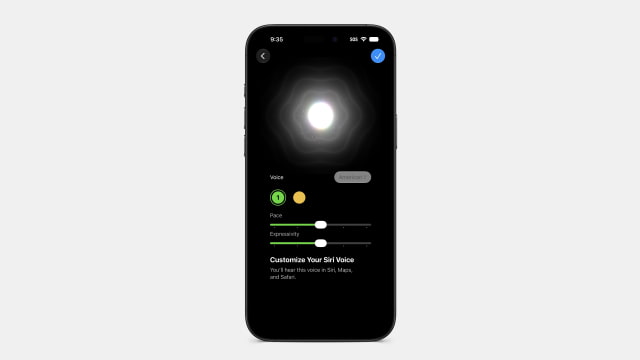
The most notable addition is the activation of Siri's voice customization settings. Present but grayed out in earlier betas, the Pace and Expressivity sliders under Settings > Siri > Voice are now functional on supported devices, including the iPhone 17 Pro, iPhone 17 Pro Max, and iPhone Air. Users can choose between two base voices and independently adjust five levels of speaking pace and expressiveness, with a real-time audio preview updating as the sliders move. Apple says the customized voice settings also apply to Siri responses in Apple Maps and Safari. The company first unveiled these voice controls at WWDC26 alongside the new Siri AI experience.
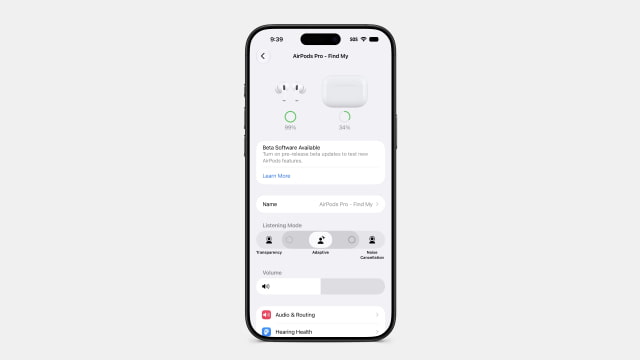
Beta 3 also makes it simpler to fine-tune how AirPods handle ambient sound in Adaptive mode. Tapping the AirPods menu in Settings now shows the standard listening modes, but Adaptive includes small dot controls that let users quickly switch between three preset blends: default, more transparency, or stronger noise cancellation. Previously, changing the Adaptive Audio intensity required navigating into the AirPods settings under Bluetooth.
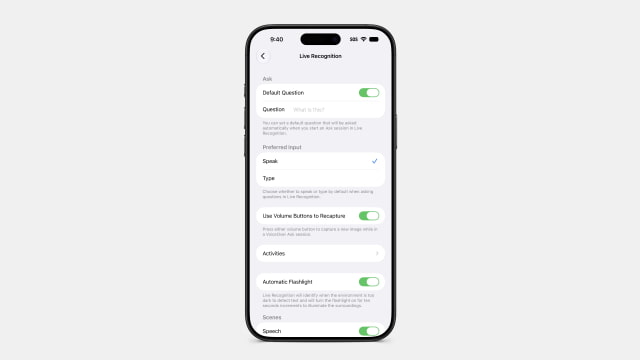
Apple has added a dedicated Live Recognition section to Accessibility settings. Using on-device intelligence, it can detect and describe objects and scenes through the camera, answer questions about what it sees, and support custom activities. The expanded interface aligns with the broader accessibility upgrades Apple previewed earlier this year, including Vision Pro wheelchair control and AI-powered VoiceOver enhancements.
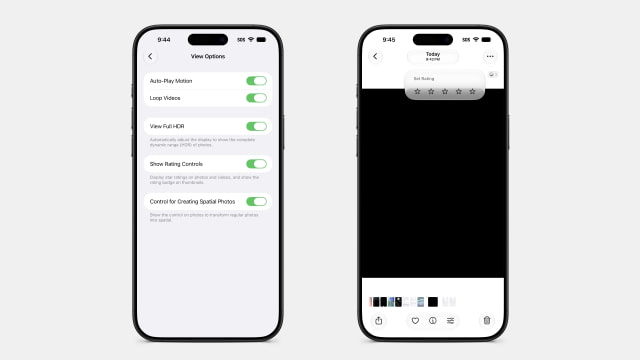
Photos gains an optional star rating system. A new Show Rating Controls toggle in Settings enables star ratings for photos and videos, displaying rating badges on thumbnails and allowing users to assign ratings directly. Shortcuts now offers a choice when creating a new shortcut: start with the natural language Describe a Shortcut interface or jump directly into the manual editor.
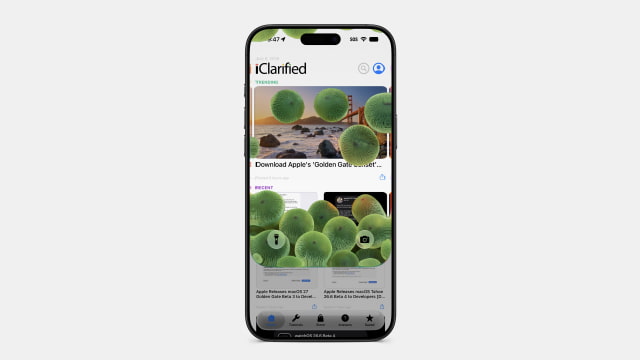
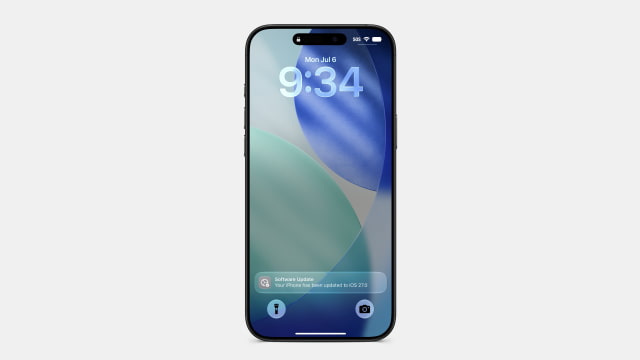
Several visual refinements round out the release. The Reminders app icon has been refreshed with darker bullet points, Control Center can now display cellular signal strength and network type while connected to Wi-Fi, Maps adds a tooltip explaining where route preferences are located, Lock Screen Control Center buttons now use black icons, and some wallpapers now display a new transition animation when pulling down Notification Center, briefly revealing parts of the wallpaper before the full image settles into place.
Apple also notes that Apple Intelligence features in the Home app will require at least a 2GB iCloud+ plan, while 5G+ support has expanded to supported carriers in India.
Get the iClarified Daily Newsletter
Apple news, rumors, tutorials, price drop alerts, in your inbox every evening, free.
Unsubscribe at any time.
Success!
You have been subscribed.
Add Comment
Would you like to be notified when someone replies or adds a new comment?
Yes (All Threads)
Yes (This Thread Only)
No
Notifications
Would you like to be notified when we post a new Apple news article or tutorial?



![OLED iPad mini Expected in Late October or November [Report]](/images/news/102552/102552/102552-160.jpg "OLED iPad mini Expected in Late October or November [Report]")
![Redesigned MacBook Pro Said to Be 'Significantly Lighter' [Gurman]](/images/news/102549/102549/102549-160.jpg "Redesigned MacBook Pro Said to Be 'Significantly Lighter' [Gurman]")
![John Ternus Emerges as Apple's De Facto Design Chief [Gurman]](/images/news/102555/102555/102555-160.jpg "John Ternus Emerges as Apple's De Facto Design Chief [Gurman]")



![How To Change Wallpaper on Mac [Video]](/images/tutorials/90512/90512/90512-160.jpg "How To Change Wallpaper on Mac [Video]")
![How To Back Up Your iPhone to an External Drive on Mac [Video]](/images/tutorials/72786/72786/72786-160.jpg "How To Back Up Your iPhone to an External Drive on Mac [Video]")


![AirPods Max 2 Back to $429 in All Five Colors [Deal]](/images/news/102561/102561/102561-160.jpg "AirPods Max 2 Back to $429 in All Five Colors [Deal]")
![AirPods Pro 3 Drop to $179, Lowest Price Since June [Deal]](/images/news/102558/102558/102558-160.jpg "AirPods Pro 3 Drop to $179, Lowest Price Since June [Deal]")



