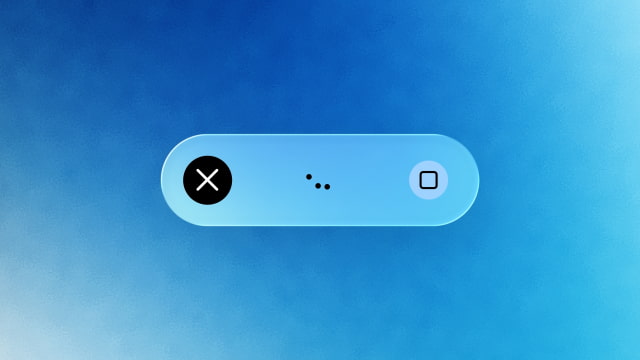
Google is rolling out a new voice mode for its Gemini app on Mac. Hold the Fn key and speak, and Gemini transcribes speech directly into the active app, with optional screen-aware AI for more advanced commands.
In a blog post, Google explained how the feature works. By default, intelligent dictation turns speech into clean, polished text. It removes verbal fillers like "ums" and catches mid-sentence corrections before inserting the formatted text directly at the cursor.
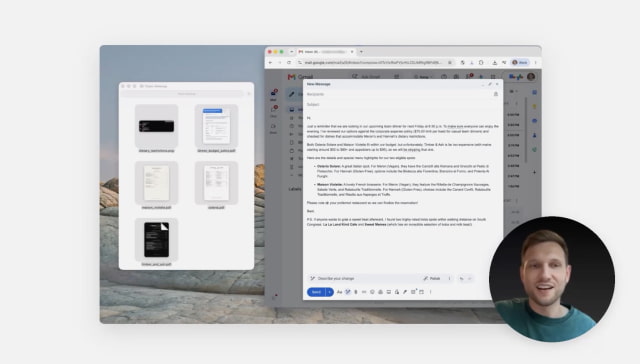
Users can also enable screen-aware reasoning in settings. Once enabled, Gemini can understand the context on your screen to handle more complex spoken requests. For example, you could ask it to "read these vet files and summarize my dog's medical history in an email to the kennel," or "turn these notes into an executive summary with a TL;DR at the top." Gemini can also generate or edit images through spoken requests, such as creating a dark-mode version of a design already on screen.
Google launched a native Gemini app for Mac in April. It started with a keyboard shortcut and permission-based tools for analyzing on-screen content. The company later redesigned the app around its Spark AI agent and added local file access and automation. The new voice mode builds on those capabilities by letting users create, edit, and summarize content through speech while remaining in the app they're already using.
Voice capability is rolling out globally to all users of the Gemini app for macOS in English. Google says more languages are coming soon.
Get the iClarified Daily Newsletter
Apple news, rumors, tutorials, price drop alerts, in your inbox every evening, free.
Unsubscribe at any time.
Success!
You have been subscribed.
Add Comment
Would you like to be notified when someone replies or adds a new comment?
Yes (All Threads)
Yes (This Thread Only)
No
Notifications
Would you like to be notified when we post a new Apple news article or tutorial?



![Apple Shares Two New Apple Watch Stories on Heart Alerts and Fitness [Video]](/images/news/103146/103146/103146-160.jpg "Apple Shares Two New Apple Watch Stories on Heart Alerts and Fitness [Video]")
![OLED Touchscreen MacBook Pro Could Start at $2,899 [Report]](/images/news/103143/103143/103143-160.jpg "OLED Touchscreen MacBook Pro Could Start at $2,899 [Report]")


![How To Turn Off iPhone [Video]](/images/tutorials/94999/94999/94999-160.jpg "How To Turn Off iPhone [Video]")
![How To Back Up Your iPhone to an External Drive on Mac [Video]](/images/tutorials/72786/72786/72786-160.jpg "How To Back Up Your iPhone to an External Drive on Mac [Video]")

![How To Find Your IP Address on iPhone [Video]](/images/tutorials/496/496/496-160.jpg "How To Find Your IP Address on iPhone [Video]")


![Beats Headphones, Earbuds, and Pill Speaker Are Up to 41% Off [Deal]](/images/news/103026/103026/103026-160.jpg "Beats Headphones, Earbuds, and Pill Speaker Are Up to 41% Off [Deal]")

![New Fire TV Stick 4K Drops to $29.99 (50% Off) [Deal]](/images/news/102984/102984/102984-160.jpg "New Fire TV Stick 4K Drops to $29.99 (50% Off) [Deal]")
![Apple's iPhone 18 Pro and Pro Max Cases Are Up to 37% Off [Deal]](/images/news/102978/102978/102978-160.jpg "Apple's iPhone 18 Pro and Pro Max Cases Are Up to 37% Off [Deal]")
