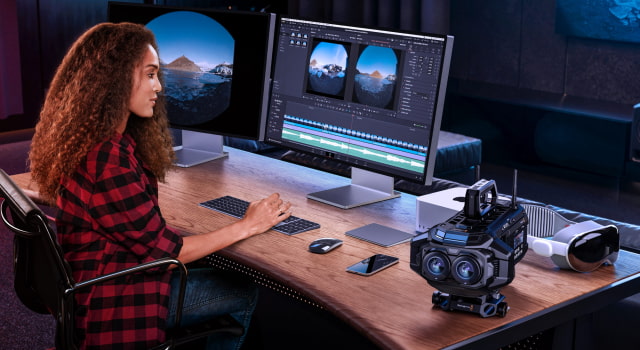
Blackmagic Design has announced DaVinci Resolve 20.1, a major new update that adds a complete workflow for creating Apple Immersive Video content for the Vision Pro. The update allows filmmakers to edit, color grade, add visual effects, mix Spatial Audio, and deliver immersive video captured with the new Blackmagic URSA Cine Immersive camera.
"We are excited to release this update for DaVinci Resolve Studio which adds tools for Apple Immersive Video to the edit, color, Fairlight and Fusion pages," said Grant Petty, Blackmagic Design CEO. "Now filmmakers can create stunning immersive content that was previously too complex or expensive to produce. The best part is that you can edit, grade and mix 3D immersive video and audio using familiar tools from 2D projects! We can't wait to see the immersive action, drama, concerts, sports and other incredible experiences our customers will create using DaVinci Resolve!"
DaVinci Resolve 20.1 builds on features that were first introduced in DaVinci Resolve 20, which added initial support for Apple's immersive ecosystem. The software now supports the decoding and playback of stereoscopic 8K 90fps Blackmagic RAW files from the URSA Cine Immersive camera, creating a complete workflow from capture to playback on Apple Vision Pro.
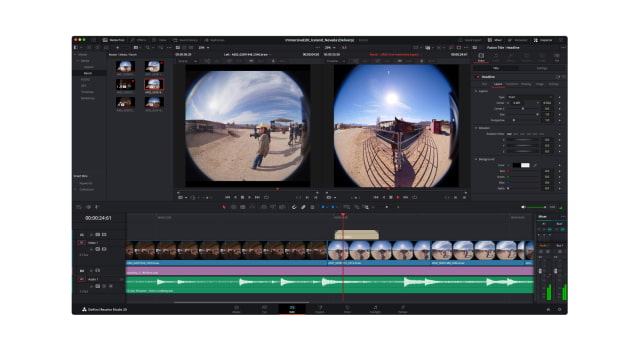
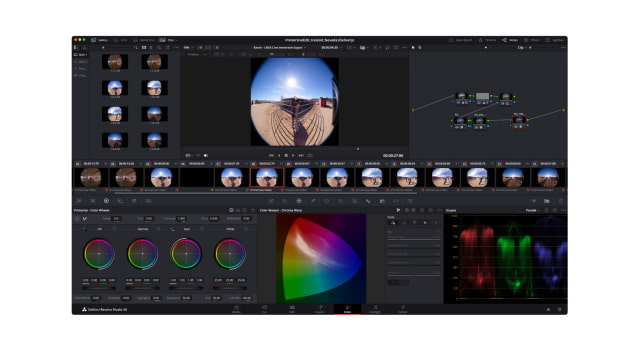
A new immersive video viewer has been added, letting users pan, tilt, and roll clips on standard 2D monitors, or stream directly to an Apple Vision Pro for a more immersive editing experience. The update extends these capabilities across DaVinci's different modules. The Edit page handles immersive files with the same drag-and-drop interface as 2D media. The Color page gains new tools in its 3D palette, like Edge Mask, for adjusting the field of view.
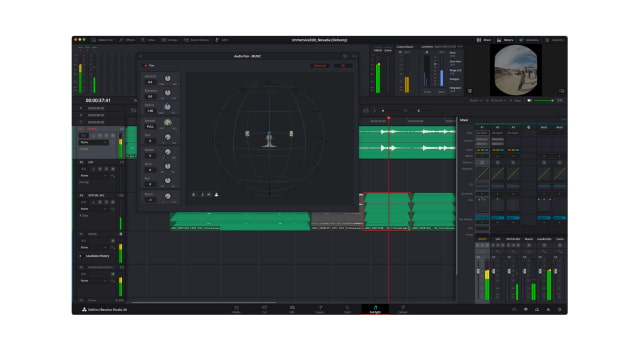
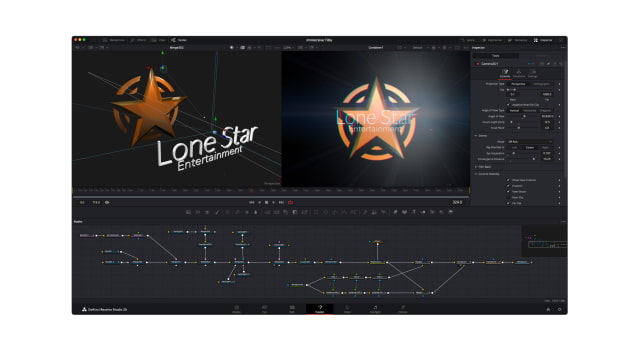
In the Fusion page, creators can now build 3D titles and graphics that work in immersive video, and the Fairlight page has been updated to mix and master Apple Spatial Audio Format (ASAF) soundtracks with a 3D panner. To complete the workflow, the Media and Delivery pages now include presets for exporting Apple Immersive Video. Users can then drag the rendered file into the Apple Immersive Video Utility to prepare it for streaming to Vision Pro.
DaVinci Resolve 20.1 is available to download now at from the Blackmagic Design website.
DaVinci Resolve 20.1 Immersive Features ● Adds DaVinci Resolve Studio for macOS support for Apple Vision Pro immersive video workflows. ● Ability to monitor immersive video in Apple Vision Pro from the timeline. ● Support for Apple Spatial Audio Format (ASAF). ● Support for monitoring Apple Spatial Audio in binaural with head tracking for AirPods. ● Ability to edit Blackmagic RAW Immersive video shot on Blackmagic URSA Cine Immersive. ● Immersive video viewer for 2D screens with image pan, tilt and roll. ● Automatic recognition of Apple Immersive Video (left and right eye) for dual file stereoscopic 3D immersive content. ● Option to bypass transitions normally rendered by Apple Vision Pro. ● Export and deliver native files for viewing on Apple Vision Pro.
Blackmagic URSA Cine Immersive Features ● Dual custom lenses for shooting Apple Immersive Video for Apple Vision Pro. ● Dual 8160 x 7200 (58.7 Megapixel) sensors for stereoscopic 3D immersive image capture. ● Massive 16 stops of dynamic range. ● Lightweight, robust camera body with industry standard connections. ● Generation 5 Color Science with new film curve. ● Each sensor supports 90 fps at 8K captured to a single Blackmagic RAW file. ● Includes high performance Blackmagic Media Module 8TB for recording. ● High speed Wi-Fi, 10G Ethernet or mobile data for network connections. ● Includes DaVinci Resolve Studio for post production.




![Pro Photographer Austin Mann Tests iPhone 18 Pro Camera [Video]](/images/news/102297/102297/102297-160.jpg "Pro Photographer Austin Mann Tests iPhone 18 Pro Camera [Video]")

![Apple Releases Xcode 27.1 Beta With iPhone Duo SDKs and Simulator [Download]](/images/news/102276/102276/102276-160.jpg "Apple Releases Xcode 27.1 Beta With iPhone Duo SDKs and Simulator [Download]")
![Apple Shares 'new trick' Shot on iPhone 18 Pro Ad Featuring ROSÉ [Video]](/images/news/102273/102273/102273-160.jpg "Apple Shares 'new trick' Shot on iPhone 18 Pro Ad Featuring ROSÉ [Video]")









![Apple Studio Display XDR Hits All-Time Low of $2,969.99 ($329 Off) [Deal]](/images/news/101976/101976/101976-160.jpg "Apple Studio Display XDR Hits All-Time Low of $2,969.99 ($329 Off) [Deal]")
