These are instructions on how enable use of Skype over 3G. By default you are only able to use Skype over Wi-Fi.
In order to follow these instructions you must have jailbroken iPhone. You can find instructions on how to jailbreak your iPhone here: Windows, Mac
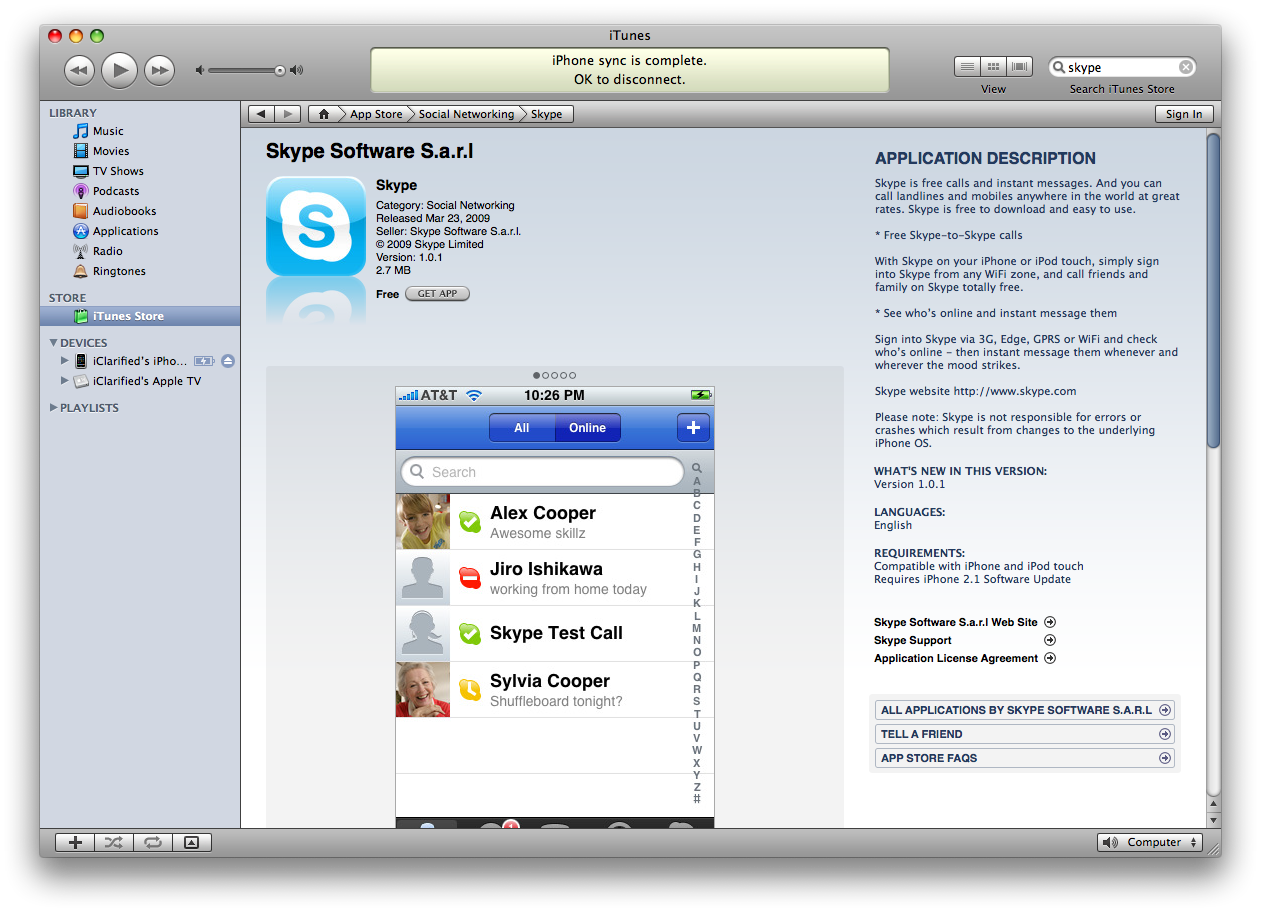
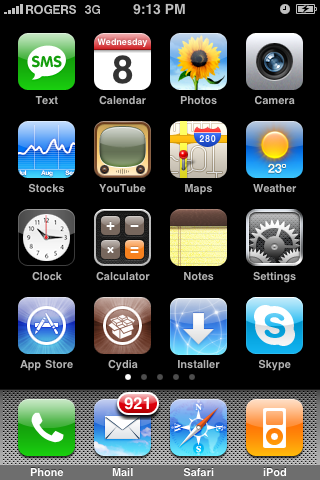
Step One Download and install Skype from the App Store. You can do this from iTunes or from your iPhone.
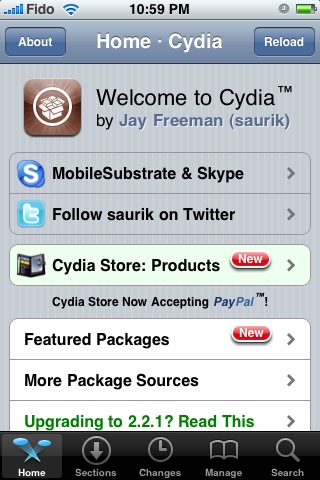
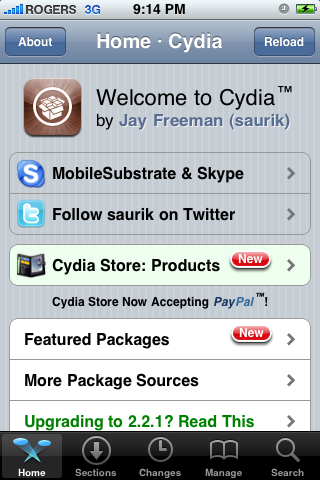
Step Two Press to launch Cydia from your SpringBoard.
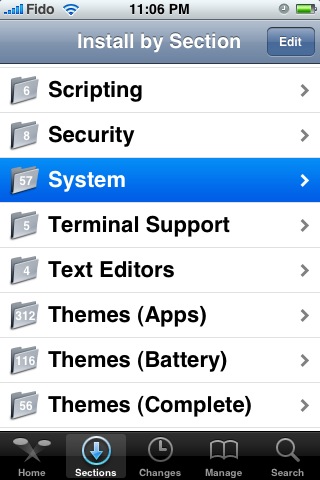
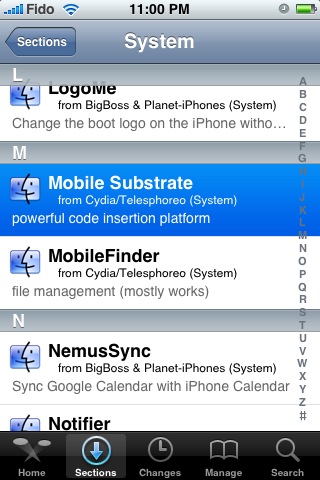
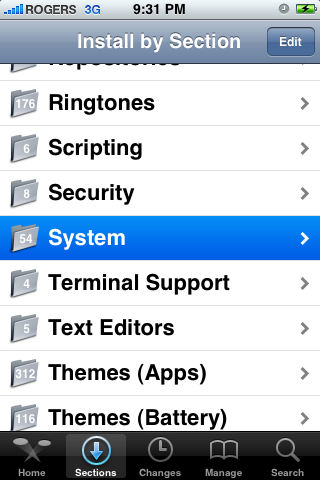
Step Three Press to select the Sections tab at the bottom of the screen.
Step Four Press to select the System section
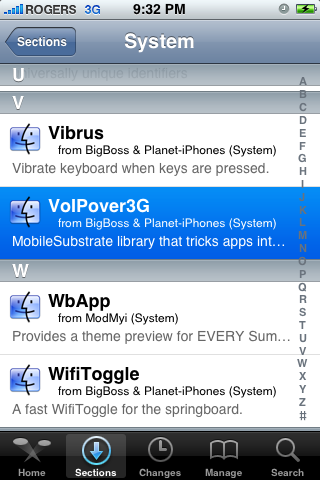
Step Five Press to select Mobile Substrate from the list of packages.
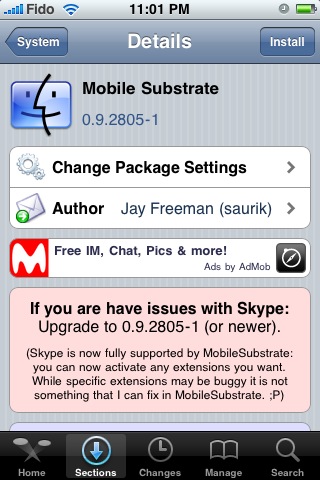
Step Six If you have Mobile Substrate installed make sure that it is version number 0.9.2805-1 or higher. If the version number is lower then you must upgrade to the latest version by pressing the Upgrade button at the top right of the screen.
If you do not have Mobile Substrate installed then press the Install button at the top right of the screen.
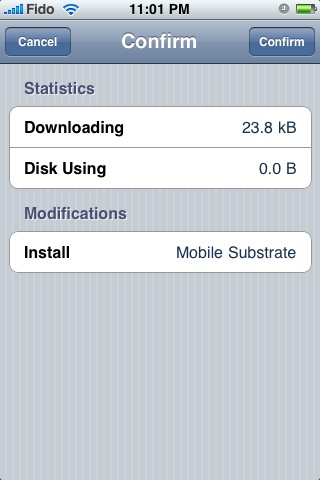
Step Seven Press the Confirm button to begin installation.
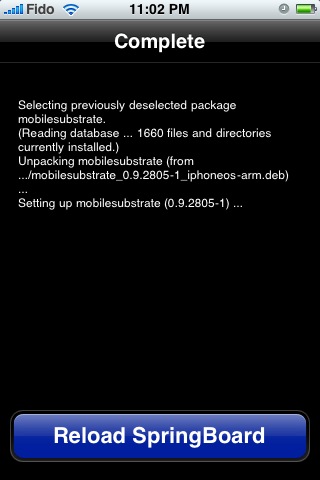
Step Eight Once installation has completed successfully press the large Reload SpringBoard button.
Step Nine Once the SpringBoard has been reloaded press to launch Cydia again.
Step Ten Press to select the Sections tab at the bottom of the screen.
Step Eleven Press to select the System section
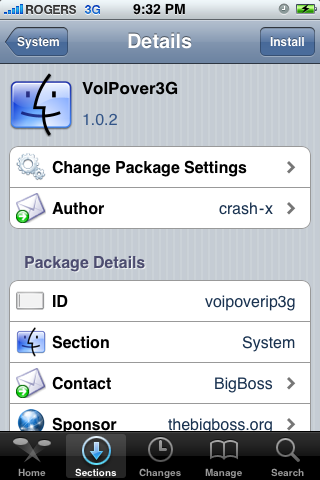
Step Twelve Press to select VoIPOver3G from the list of Packages.
Step Thirteen Press the Install button at the top right of the screen.
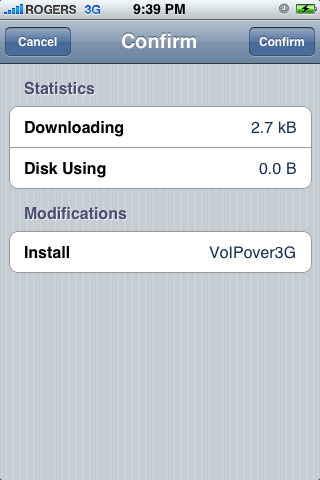
Step Fourteen Press the Confirm button to being installation.
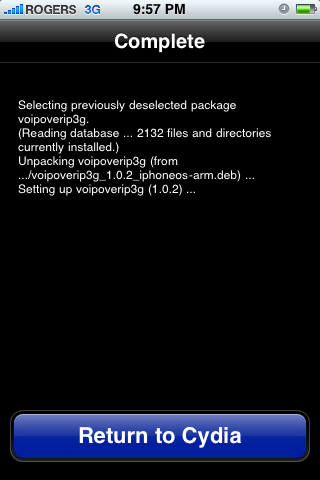
Step Fifteen Once installation has completed successfully press the large Return to Cydia button.
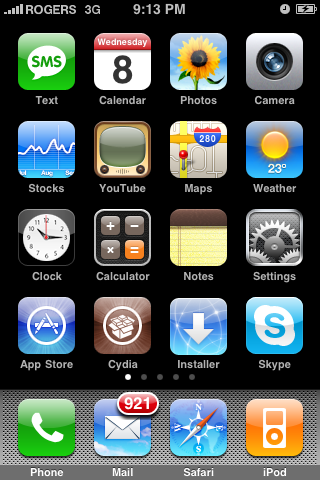
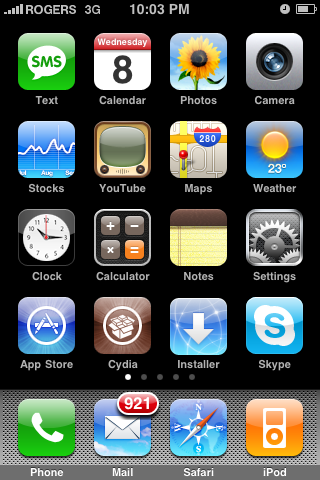
Step Sixteen Press the Home button then press to launch Skype from your SpringBoard.
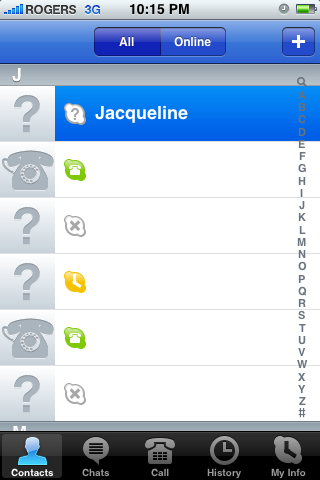
Step Seventeen Select a contact to call from the Contacts tab
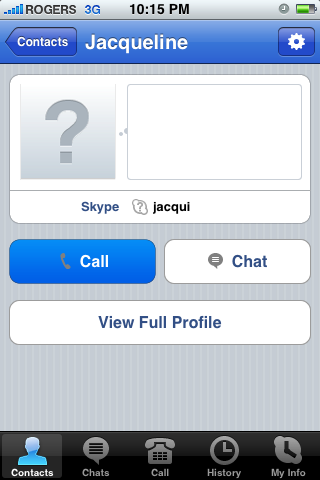
Step Eighteen Press the Call button to call your contact.
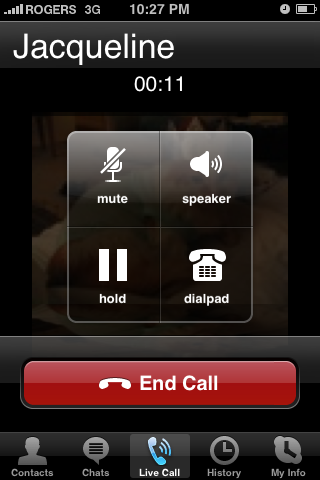
Step Nineteen Notice that now the call is completed over the 3G network!
IMPORTANT NOTES: There are some applications that do not work properly with Skype and could cause crashes while attempting to use the application. You may need to uninstall one or all of these applications until they are updated to work well with Skype. * IntelliScreen * mAdvLock * mCoolPhone * MobileHook * MobileLog/iLog * Rock Extensions
Get the iClarified Daily Newsletter
Apple news, rumors, tutorials, price drop alerts, in your inbox every evening, free.
Unsubscribe at any time.
Success!
You have been subscribed.
Add Comment
Would you like to be notified when someone replies or adds a new comment?
Yes (All Threads)
Yes (This Thread Only)
No
Notifications
Would you like to be notified when we post a new Apple news article or tutorial?
hi guys ... im facing a problem right now .... i cant seem to find mobile substrate on cydia ... i dont know why ... !!
is there a repository i need to add before it appears in the library ... ?!
but i tried using it through 3G Unrestrictor. it signs into skype and signs me out automatically within 15-20 seconds... .!!
i am using a 3G with version 3.0
please advise .....
Hello, I have an iPhone 3GS with 3.1. I installed Mobile Substrate and VoIP over 3G but it doesn't work. Mobile Substrate is not on Cydia; you need to manually search for it. For some reason I have uninstalled everything and reinstalled but nothing. I have also noticed that Mobile Substrate does not uninstall. Initially the thing worked, after which I installed WinterBoard and vWallpaper, and now it has gone downhill.
Skype connects on my jailbroken 3GS with Tmobile's Edge internet. BUT when I place a call, the other party does not hear me and always disconnects after couple seconds. Is there a way to resolve this issue? Thanks!
Hey I have the new 3GS, jailbroken with 3.0.1. Cydia does not have Mobile Substrate in systems, what should I do? Move on to the next step or cancel? Plus it's not dialing out of area, it's just dialing local numbers from my contacts list...
Guys my battery started drain out very quickly installing soft. Is abyone know whether this soft has anything to do with ma problem..
Btw I should tell my thanks to the team for this wonderful application.. Work cool..





![Apple Releases iOS 26.4.1 and iPadOS 26.4.1 With Bug Fixes [Download]](/images/news/100492/100492/100492-160.jpg "Apple Releases iOS 26.4.1 and iPadOS 26.4.1 With Bug Fixes [Download]")

![Apple TV Debuts 'Criminal Record' Season 2 Trailer [Video]](/images/news/100488/100488/100488-160.jpg "Apple TV Debuts 'Criminal Record' Season 2 Trailer [Video]")






![13-inch MacBook Air M5 Drops to $949 in New All-Time Low [Deal]](/images/news/100466/100466/100466-160.jpg "13-inch MacBook Air M5 Drops to $949 in New All-Time Low [Deal]")




